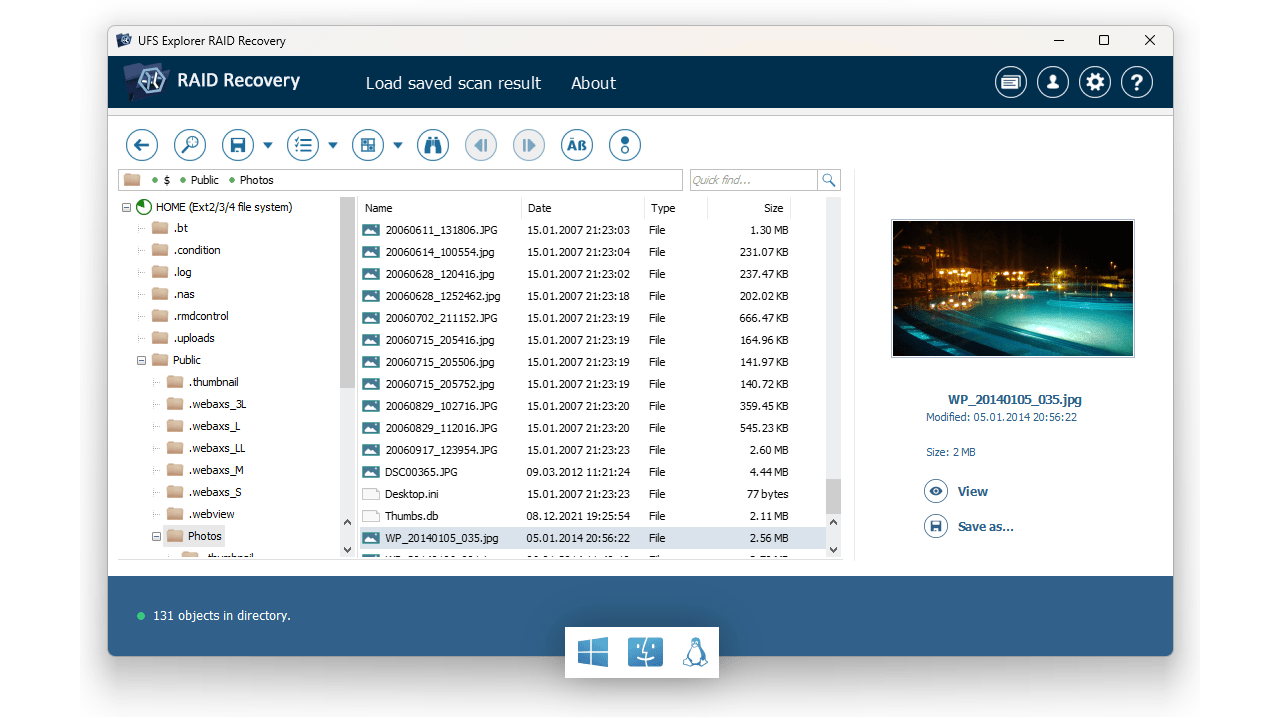
Classic product family

Classic UFS Explorer software

Three editions built on the same proven data recovery technology, each tailored to different recovery scenarios. Choose the level of functionality that best matches your requirements. All applications are cross-platform, licensed on a perpetual basis and include a free trial.

Windows · macOS · Linux Perpetual per-platform license Free trial included
UFS Explorer classic product family — Standard Recovery, RAID Recovery and Network RAID
Three editions

Choose the edition that fits your recovery scenario

All editions share the same core scanning engine, file system support and disk imaging capabilities. However, they differ in the types of storage scenarios they are designed to handle. See the short summaries below or check the comparison table.

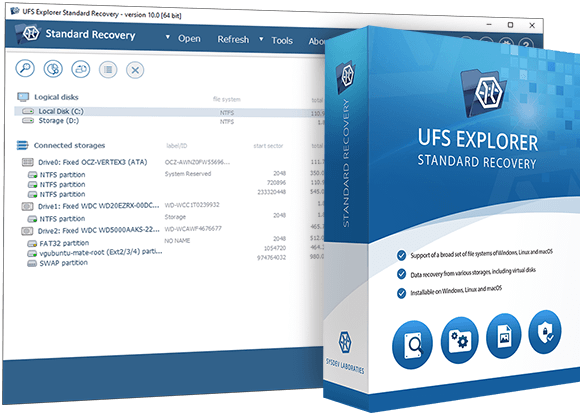
UFS Explorer Standard Recovery interface
UFS Explorer Standard Recovery
Single-disk and removable media recovery – a baseline solution for common data loss cases
  • Deleted files, formatted storage, RAW partitions
  • USB drives, SD cards, SSDs, HDDs, NVMe
  • Virtual machine disks: VMware, Hyper-V, VirtualBox and others
  • BitLocker- and APFS-encrypted volumes
  • Professional disk imager (fully available in the free trial)
from $69.95 Personal license · Perpetual
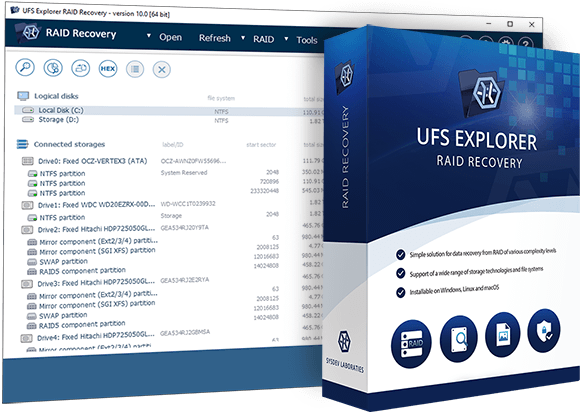
UFS Explorer RAID Recovery interface
Most popular
UFS Explorer RAID Recovery
NAS and RAID recovery – automatic array detection or manual reconstruction
  • Contains everything available in the Standard edition
  • Automatic RAID handling for Synology, QNAP, Drobo, Buffalo and others
  • Manual RAID Builder for cases when metadata is missing
  • Adaptive reconstruction using bad-sector maps
  • Support for BeyondRAID, Synology SHR, ZFS RAID-Z and other schemes
from $149.95 Personal license · Perpetual
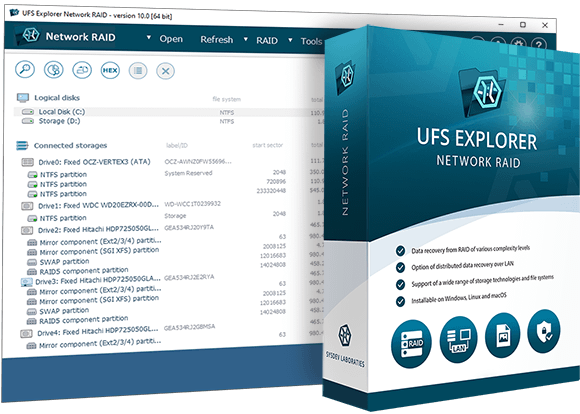
UFS Explorer Network RAID interface
UFS Explorer Network RAID
RAID recovery extended over the local network – for storage distributed across multiple machines
  • Based on the full feature set of the RAID edition
  • iSCSI client for accessing drives on remote machines
  • iSCSI server for sharing assembled volumes over LAN
  • Native UDP protocol for UFS Explorer peer connections
  • Can use UFS Explorer Professional Recovery as a data source
from $229.95 Personal license · Perpetual
Core functionality

Features shared across all three editions

Each classic edition is powered by the same core engine. The features listed below are available in Standard Recovery, RAID Recovery and Network RAID without restriction.

Recovery of deleted files, formatted partitions and damaged file systems
Support for internal and external HDDs, SSDs, USB sticks, SD cards, NVMe storage
More than 15 supported file systems: FAT/exFAT, NTFS, ReFS, APFS, HFS+, Ext2/3/4, XFS, Btrfs, ZFS, UFS, JFS, ReiserFS
Virtual disk formats: VMware VMDK, Hyper-V VHD/VHDX, QCOW2, VDI, DMG, R-Studio RDR
BitLocker, BitLocker To Go and Apple APFS encryption support
IntelliRAW™ signature scanning for recovery without file system metadata
Quick, deep and full-range scan modes with pause, save and resume options
Multi-pass disk imaging with defect maps production (fully functional in the free trial)
Automatic detection of basic spanned volumes (LVM, LDM, mdadm, etc.)
Preview of images, PDFs and documents before saving
Advanced search, sorting and filtering of recovery results
Hexadecimal viewer for disks, partitions and files
Cross-platform installation: Windows, macOS and Linux (perpetual per-platform license)
Free trial with full scanning and preview functionality, no time limit
Feature comparison

How the editions differ

Rows marked with show availability of a feature in a given edition. Higher editions include all features from lower ones.

Feature Standard Recovery RAID Recovery Network RAID
Recovery scenarios
Single-disk recovery: deleted files, formatted storage, RAW partitions
Internal and external drives, USB, SD cards, NVMe
Disk images and virtual disks
RAID arrays and NAS devices
Drives on remote machines accessed over LAN
Encryption
BitLocker / BitLocker To Go
Apple APFS encryption
RAID and complex storage
Simple spanned volumes (basic LVM, LDM)
Full RAID engine with automatic RAID metadata detection
Interactive RAID Builder for manual reconstruction when metadata is unavailable
Adaptive reconstruction using bad-sector maps
Drobo BeyondRAID, Synology SHR, Btrfs-RAID, ZFS RAID-Z
LVM Thin Provisioning
Disk imaging for defective drives
Multi-pass imaging with defect map (available in the free trial)
DeepSpar DDI integration
Support for third-party bad-sector maps (ACE Lab, DDI)
Dynamic pattern-based bad-block maps for disk images
Network access
iSCSI initiator for connecting to remote drives and SAN servers
iSCSI target for sharing assembled volumes to iSCSI clients
Native UDP protocol for UFS Explorer peer connections
Trial limitations
File saving limit in trial256 KB768 KB768 KB
iSCSI server in trial2 TB max
Pricing (perpetual license per platform)
Personal use
Personal license$69.95$149.95$229.95
Commercial use
Commercial license$139.95$259.95$484.95
Corporate use
Corporate license$209.95$469.95$839.95

For the full technical feature comparison across all UFS Explorer editions, see the complete comparison tables page. For upgrade paths between editions, refer to the upgrade page.

Quick guide

Which edition do you need?

Scenario 1
Single drive, USB stick, SD card or virtual machine disk
Files were deleted, the drive was formatted, or the file system is damaged. No RAID involved – everything is contained on a single device.
→ UFS Explorer Standard Recovery
Scenario 2
NAS, a RAID array or other multi-disk storage system
The NAS has stopped responding, a RAID has degraded, or the NVR uses RAID internally. All drives can be connected to a single workstation.
→ UFS Explorer RAID Recovery
Scenario 3
RAID drives distributed across multiple machines or an assembled volume must be shared
There are too many drives to connect them to one workstation, or the reconstructed volume needs to be mounted as a local disk on another machine via iSCSI.
→ UFS Explorer Network RAID
The Classic family is designed for home users, computer repair technicians and IT specialists. Data recovery professionals dealing with VMFS, LUKS, forensic image formats, hex-level analysis or SAN workflows should consider the Professional software family.
About the classic family

About classic UFS Explorer software

A single engine, three usage scenarios

The classic UFS Explorer editions – Standard Recovery, RAID Recovery and Network RAID – are built on the same data recovery engine and therefore share the same file system coverage, disk imaging functionality and scanning algorithms. What differs is the range of storage scenarios each edition is designed to address: the Standard edition handles single-disk recovery cases, the RAID edition adds the full RAID and NAS recovery layer, and the Network RAID edition enables work with drives located on other remote machines over a local network.

This layered architecture means that higher editions always include all capabilities of the lower ones. Everything available in UFS Explorer Standard Recovery is also included in RAID Recovery, and everything in UFS Explorer RAID Recovery is included in Network RAID. The differences lie only in the additional functionality introduced at each level.

All classic editions use a perpetual licensing model. A license is valid for a single platform, so separate licenses are required for Windows, macOS or Linux. Upgrades between editions are available on request. A free trial is included, with all scanning and disk imaging features fully enabled. File saving is limited to 256 KB in UFS Explorer Standard Recovery and 768 KB in UFS Explorer RAID Recovery and Network RAID.

Effortless access to intact storage

When a storage device is accessible, the software allows you to open the file system for browsing, search and file copy operations without requiring a prior scan. If data is missing or the file system is damaged, three scan modes are available to cover progressively deeper scenarios: a quick scan based on file system metadata for recently deleted files, full deep sector scanning for comprehensive results and an IntelliRAW signature scan for cases where file system metadata is missing or unusable. All scans can be paused, reviewed, and their state can be saved for later resumption.

The professional disk imager supports multi-pass reading, configurable bad-block handling and generates defect maps during imaging. When a drive is unstable or has physical defects, capturing a disk image first and working from the copy helps protect the source media from repeated reads and ensures a stable base for subsequent analysis. The disk imager is fully functional in the free trial across all editions.

Classic vs Professional – which product family to choose?

The Classic and Professional product families are separate product lines designed for different user groups, with no shared licensing or upgrade path. The Classic family is intended for personal home use, office environments and IT experts handling common data loss scenarios. The Professional product family – UFS Explorer Professional Recovery and Technician – is tailored for data recovery specialists and digital forensics investigators, offering more complex interfaces, broader technology coverage (VMFS, LUKS, forensic image formats, hex editor, SAN support) and different licensing models. If your workflows involve these specialized requirements, please refer to the Professional family page.

Common questions

Frequently asked questions

What is the difference between UFS Explorer Standard Recovery, RAID Recovery and Network RAID?
All three editions share the same file system support, disk imaging engine, scanning technology and decryption capabilities. At the same time, UFS Explorer Standard Recovery is suited for single-disk storage and basic spanned volumes detected automatically. UFS Explorer RAID Recovery adds full RAID functionality, including automatic recognition of RAID metadata, an interactive RAID Builder for manual RAID assembly, adaptive reconstruction using bad-sector maps, support for BeyondRAID and RAID-Z, and integration with DeepSpar DDI. UFS Explorer Network RAID extends this feature set with LAN connectivity by adding an iSCSI initiator and target, as well as a native UDP protocol, enabling RAID assembly from drives located on multiple networked machines.
Do I need UFS Explorer RAID Recovery if my NAS device has failed?
In most cases, yes. NAS devices store data across multiple drives in a RAID configuration. UFS Explorer Standard Recovery can only handle simple automatically assembled spanned volumes when all metadata is intact. For data recovery from NAS systems such as Synology, QNAP, Drobo, Buffalo and others, the capabilities of UFS Explorer RAID Recovery are required. These include automatic RAID metadata recognition, the RAID Builder and adaptive reconstruction tools.
What are the free trial limitations for each edition?
In UFS Explorer Standard Recovery, the trial version allows saving files up to 256 KB. In UFS Explorer RAID Recovery and Network RAID, the file size limit is 768 KB. All trial versions provide full functionality for scanning, disk imaging, RAID assembly and previewing results, without restrictions. The UFS Explorer Network RAID trial additionally limits the iSCSI server to 2 TB volumes. There is no time limit in any of the trial versions.
Can I upgrade from UFS Explorer Standard Recovery to RAID Recovery or Network RAID?
Yes. Upgrades between editions are available at a reduced cost compared to purchasing the higher edition outright. Please refer to the upgrade page for available options. If your workflow regularly involves RAID or NAS storage, starting with the higher edition is usually more cost-effective.