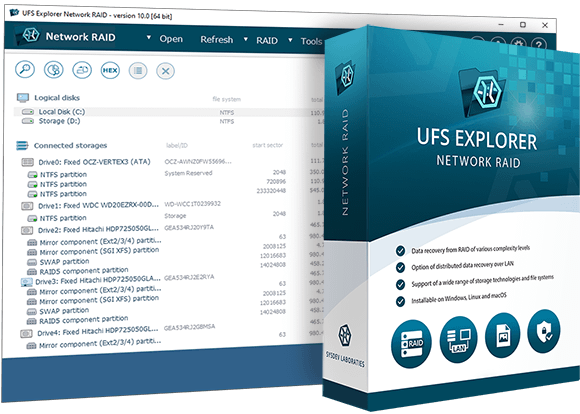
UFS Explorer Network RAID
- Data recovery from simple media or RAID using LAN resources
- Equally efficient work with local and remote storage devices
- Embedded iSCSI client and server for sharing resoucese
- Auto-reconstruction of various RAID configurations
- Adjustable RAID builder for manual RAID assembly
- Support of specific RAID patterns and other storage technologies
- Includes professional-level disk imager for handling faulty drives
- Free trial with no time limit is available
- LAN
- iSCSI
- Remote recovery
- RAID recovery
- NAS recovery
- QNAP
- Buffalo
- Synology
- Drobo
- Apple RAID
- Fusion Drive
- FileVault
- BitLocker
- Dynamic Disk
- USB stick
- External drive
- Memory card
- Disk image
- DeepSpar DDI
- Synology
- Asustor
- TeraStation
- Terramaster
- RAID5
- RAID6
- ZFS
- RAID-Z
Overview
UFS Explorer Network RAID allows service centers to use internal network resources to handle data recovery requests. There may be several reasons for this: insufficient number of standard ports for connecting disks, use of specific additional equipment with a limited number of ports for each workstation, use of a more powerful remote workstation or a remote station with a different OS.
When working in modern local networks with a data transfer speed of 10Gbit/sec, work with network resources is performed with minimal delays: almost the same as through a local SAS HBA. at the same time, even in historical networks with a transmission speed of 1 Gbit/sec, work is still quite comfortable.
The program can communicate with another copy of the program on another workstation using the standard iSCSI protocol or its own UDP-based protocol with lower delays. Using the standard iSCSI protocol allows other clients to connect to the application. Thus, for example, you can connect a volume collected by the program as a local SCSI disk using, for example, Windows iSCSI Initiator. In addition, the software can communicate with some products of other vendors, such as DeepSpar DDI.
Along with local and remote disks, the program works with disk images or virtual disks as efficiently as with original disks. Therefore, if you have disk images, it is recommended to use them. Due to the wide support of various formats, the program allows you to use images created by other (third-party) software.
Just like any other UFS Explorer software, this software edition automatically constructs data volumes both from individual disks and from RAID disk sets. Some technologies, such as Drobo BeyondRAID or LVM Thin Provisioning, require explicit assembly of volumes with the help of special tools available in the program. Additional tools also allow you to assemble volumes that for some reason are not assembled automatically. Once the volume becomes available, the program automatically provides access to the files on it, without any scanning or analysis, just like the OS does. If you need to search for lost data or reconstruct the volume structure after damage, the software supports several types of quick and deep analysis (scanning) to search for lost data.
To restore lost data and copy found files, you need to license only a copy of the program used to copy.
Technical specifications
Generic: FAT, FAT32, exFAT
Windows: NTFS, ReFS/ReFS3
macOS: HFS+, APFS;
Linux: Ext2, Ext3, Ext4, XFS, Extended format XFS, JFS, ReiserFS, Btrfs;
BSD/Solaris: UFS, UFS2, Adaptec UFS, big-endian UFS, ZFS.
CD/DVD/media: ISO9660/Joliet, UDF
Logical Disk Manager, Storage Spaces, Microsoft volume deduplication, Apple Core Storage, Apple Software RAID, LVM, mdadm, supported hardware and software RAID metadata.
MBR, Apple Partition Map, BSD/Adaptec/Solaris/Unix Slice Map, GPT, Novel, RAID
Providing a partition table, information about Spans and Stripes of AIX LVM, HP-UX LVM
Indication of Drobo volumes, HP EVA, HP LeftHand, Symphony SAN, HPE 3PAR etc.
Hexadecimal viewer for storages, partitions and files
Recognition of certain data protection bridges/adaptors (OpenText Tableau, CRU WiebeTech)
Control over disk imaging with DeepSpar USB Stabilizer/Guardonix
Pausing the scan
Previewing intermediate scan results
Saving a current scan state for the future scan resumption from the checkpoint
Saving scan results for further work
Full-range storage scan for all-at-once data recovery
Five options for handling the existing file system
Integrated management of custom rules for raw recovery
Indication of the state of each file
Color differentiation between the existing/restored data
Options for preview, search, sorting, filtering of files
Automatic detection of lost partitions
Search for lost partitions
Defining partitions manually
Automated partition aligning
Helpful prompts
Zooming option
Recoverable data size with metadata test
Software events log
Key features
Effective data recovery from RAID
Ideal for restoring data lost from NAS
Support of modern storage technologies
Configurable disk reading and imaging
Customizable scanning
Support of DeepSpar Disk Imager
When to use UFS Explorer Network RAID
The utility effectively works with various linear storage devices, including internal as well as external hard disk drives, USB flash drives, memory cards and many others, thus serving as an essential data recovery tool for handling most typical cases of data loss, like accidental deletion of files, storage formatting, malware attack, hardware or software malfunction, etc.
UFS Explorer Network RAID is an efficient solution for restoring data from RAID of different complexity, both software and hardware, and various RAID-based storages, like DAS and NAS. Moreover, the software makes it possible to perform data recovery from systems that apply specific RAID configurations, like Drobo BeyondRAID, Synology Hybrid RAID and Btrfs-RAID.
When a RAID system is composed of many disks and there is no possibility to concurrently connect them to one PC, the program allows performing distributed data recovery from such an array over a Local Area Network. Moreover, the procedure can be performed remotely on a RAID attached to another computer, when a PC used for recovery lacks a sufficient number of ports.
The software is enhanced with wide support of modern storage technologies employed in different environments. It allows processing composite volumes, including LVM, MS Storage Spaces, Dynamic Disks, Apple Software RAID and APFS-based Fusion Drive, etc. which significantly expands the list of target devices it can be applied to.
UFS Explorer Network RAID effectively deals with disk images and virtual disks created by major virtualization software, like VMware, Microsoft Hyper-V, VirtualBox, QEMU, XEN, etc. and successfully copes with data recovery from such storages as though they were ordinary physical devices.
A set of tools integrated in the software allow effectively solving practically any case of logical data loss, including the most severe ones. The program will either simply read file system metadata or conduct its detailed analysis and predict the allocation of files based on the file system specifics, allocation of other files or file content analysis to produce the best possible data recovery result.
The application gives the possibility to recover data from storages that have damaged sectors or other hardware issues with maximum efficiency. Not only it offers highly configurable disk reading and imaging procedures but also generates a map of bad blocks during the imaging process. In addition, virtual bad blocks can be defined dynamically on disk images by recognizing a given pattern or by reading bad sectors maps created by other compatible solutions.
- Download links for all previous product versions starting from Version 7 (including Versions 7.*, 8.*, 9.*) and up to the current version are provided in the Changes log. There you will also see the record of updates and their descriptions.