
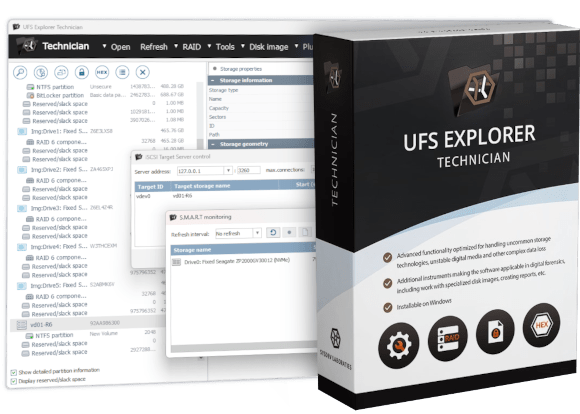


UFS Explorer Technician
- All capabilities of UFS Explorer Professional Recovery, plus extended functionality for enterprise and forensic workflows
- Six optional SAN plugins for automated reconstruction of virtual volumes from Dell, HPE and IBM storage arrays
- The broadest file system support, including QZFS, WAFL (NetApp ONTAP), AIX JFS, VxFS, EAFS/HTFS and NxFS
- Direct SCSI and ATA command interfaces and the SCSI Commander tool for hardware-level operations
- Full sector-by-sector imaging of drives with non-standard sector sizes (520, 524, 528 bytes) without conversion
- Forensic reporting with file hash verification (MD5, SHA-256, SHA-512) and file fragment allocation details
- Time-limited commercial license for Windows and Linux; a free trial is included with the installation
The professional toolkit extended to handle the most demanding enterprise recovery cases






Compatible SAN recovery plugins
UFS Explorer Technician can be extended via six optional plugins designed for automated volume assembly on specific enterprise SAN platforms. Without these plugins, storage pools must be reconstructed manually using external data maps. With a corresponding plugin installed, the software identifies the storage configuration automatically and provides immediate access to virtual volumes. The plugins are sold separately and are compatible exclusively with UFS Explorer Technician.





Plugins are purchased and licensed separately from the software. Custom plugin development is also possible via the published extension API. For availability and pricing, please contact SysDev Laboratories.
The most comprehensive functionality in the UFS Explorer family
UFS Explorer Technician is built on the foundation of Professional Recovery and extends it for the most demanding enterprise and forensic data recovery scenarios. At its core, it comprises all capabilities of UFS Explorer Professional Recovery, such as the full RAID engine, encryption support, hexadecimal editor and data analysis tools, advanced imaging options, forensic image formats and iSCSI networking. On top of this, UFS Explorer Technician adds features that are not covered by the Professional edition, including SAN automation plugins, raw hardware command interfaces, additional file system support for enterprise and legacy Unix platforms, full sector-by-sector imaging of drives with non-standard sector geometries and hash-verified forensic reporting.
The product is tailored for professional data recovery centers and forensic investigation units that regularly deal with enterprise-class storage systems. This includes SAN platforms from Dell, HPE and IBM, NAS systems running QNAP QuTS hero or NetApp ONTAP, AIX and HP-UX servers and enterprise drives with non-standard sector layouts. For the intended users, these scenarios are part of their routine work rather than occasional edge cases.
Product licensing reflects this professional focus. UFS Explorer Technician is available exclusively for business use, with no personal or home licenses offered. It operates under a time-limited licensing model ranging from one to five years and runs on Windows and Linux only; macOS is not supported.
operationsRaw SCSI/ATA commands, SCSI Commander tool, 1:1 imaging of drives with non-standard sector sizes
Features unique to UFS Explorer Technician
Widest file system coverage in the UFS Explorer family
UFS Explorer Technician works with every file system available in UFS Explorer Professional Recovery and extends this coverage with read-only support for six additional platform-specific file system groups found in enterprise, AIX and legacy Unix environments. These technologies are regularly encountered in professional data recovery workflows yet are not handled by other UFS Explorer editions:
- QZFS – file system used by QNAP QuTS hero NAS devices
- WAFL v2–4 – NetApp’s Write Anywhere File Layout used in ONTAP-based FAS and AFF storage systems
- Legacy JFS1/JFS2 – IBM AIX Journal File System used on AIX-based IBM Power servers
- VxFS4, VxFS6, VxFS7 – Veritas File System used in Veritas environments and on HP-UX and Solaris enterprise servers
- EAFS, HTFS, DTFS – file systems found in Xinous OpenServer and other legacy Unix environments
- NxFS – proprietary file system used by Urive storage devices
Hardware-level drive operations
UFS Explorer Technician provides direct access to storage devices through raw hardware command interfaces – functionality not available in UFS Explorer Professional Recovery. The following tools can be used in scenarios where standard operating system-level access is insufficient or unavailable:
- Raw SCSI commands – SCSI commands can be sent directly to a connected device for diagnostics, configuration or unlocking operations
- Raw (S)ATA commands – direct access to ATA command sets, including through certain USB bridge chips
- SCSI Commander tool – guided interface for common hardware operations such as drive unlocking, sector formatting, sector size changes and vendor-specific commands
Full 1:1 imaging of non-standard sector drives: Enterprise SAS drives from vendors such as NetApp, HPE, EMC and IBM often have physical sectors of non-standard sizes (520, 524 or 528 bytes). UFS Explorer Technician creates an exact sector-by-sector image that preserves the original sector structure – a complete binary replica including the additional metadata stored in extended sectors. This is particularly important for forensic analysis and for processing vendor-specific metadata embedded at the hardware level.
Secure data erasure: The software performs entropy-based zero-fill erasure, targeting only non-empty sectors. This makes the wiping process significantly faster on partially used drives. In addition, hardware-level erasure can be carried out using the SCSI format command.
Enhanced forensic reporting
UFS Explorer Technician extends the HTML reports and event log functionality with two additional report types designed for forensic chain-of-custody documentation:
- Extended file integrity report – computes per-file hash values using configurable algorithms such as MD5, SHA-1, SHA-256 and SHA-512. Even a single-byte change in a file results in a different hash value, making any modification or corruption immediately detectable during comparison.
- File fragment allocation report – lists each file fragment together with its physical disk address and virtual file offset. This makes it possible to see exactly where each part of a file was located on the storage medium, which is important in legal and forensic investigations.
All other reporting capabilities from UFS Explorer Professional Recovery are aslo present, including interactive HTML reports, basic file lists (HTML/CSV/XML), recoverable data size estimation and the software events log.
reportFile fragment allocation with physical disk and virtual file offsets
QNAP Qtier and advanced RAID technologies
UFS Explorer Technician supports QNAP Qtier – the automated storage tiering technology used in QNAP enterprise NAS devices to distribute data across SSD and HDD tiers. Data recovery from Qtier volumes requires correct interpretation of the tier mapping, which is handled automatically by the software.
Regarding RAID functionality, UFS Explorer Technician extends the automatic reconstruction engine with support for CAPI metadata used in HPE MSA and Dell PowerVault systems, Dell EqualLogic-specific RAID configurations and NetApp storage layouts. When the appropriate plugin is installed, these structures are assembled automatically without the need for manual data maps. The full RAID engine from UFS Explorer Professional Recovery is also included, covering DDF1, DDF2, mdadm, LVM2, BeyondRAID, SHR, RAID-Z and all standard RAID levels.
Technical specifications
Licensing model
Host OS & system requirements
Encryption support
- LUKS/LUKS2
- Apple FileVault 2
- Apple APFS encryption
- BitLocker/BitLocker To Go
- VeraCrypt/TrueCrypt
- OpenBSD BIO
- eCryptFS (file-level encryption)
- Encrypted VMDK (VMware)
- Encrypted DMG and sparsebundle (macOS)
- JMS561, Symwave SW6316, Initio 1607E, JMS538, Oxford OXUF943SE (WD bridge chips)
Supported file systems
Disk images & virtual disks
Hardware command tools (Technician exclusive)
- Raw SCSI command interface – direct execution of SCSI commands on connected devices
- Raw (S)ATA command interface – including support via selected USB bridge chips
- SCSI Commander – guided tool for unlocking, formatting, sector resizing, custom commands
- 1:1 imaging of 520/524/528-byte sector drives (no conversion applied)
- Secure erasure – entropy-based zero-fill of non-empty sectors
- SCSI format tool, including sector size configuration and low-level operations
Detailed product information
Who is UFS Explorer Technician intended for?
UFS Explorer Technician is designed for professional data recovery centers and forensic investigation teams that regularly work with enterprise-class storage systems. The targeted users deal with SAN arrays from Dell, HPE or IBM, NAS devices running QNAP QuTS hero or NetApp ONTAP, IBM AIX or HP-UX servers, as well as SAS drives with non-standard sector layouts from enterprise storage vendors. For this audience, such systems are not occasional edge cases but a significant part of their workload.
The product is licensed exclusively for business use. Personal or home use is not available under any license type. Together with limited-term licensing and Sentinel HL protection, this reflects the professional environment in which the software is intended to operate.
The plugin architecture
The six SAN storage plugins are one of the key differences between UFS Explorer Technician and UFS Explorer Professional Recovery. Without a plugin, data recovery from systems such as Dell EqualLogic or HPE 3PAR requires manual RAID reconstruction using external data maps. This is a time-consuming process that involves manual identification of pool parameters, member disk order, stripe layout and other configuration details. With the appropriate plugin installed, UFS Explorer Technician identifies the storage pool configuration automatically from the drives and provides immediate access to virtual volumes.
Each plugin is tailored to a specific SAN platform and is sold separately from the main software. The plugin architecture is open: the extension mechanism is documented and published, which allows organizations to develop custom plugins for proprietary or less-common SAN systems and integrate them into UFS Explorer Technician without modifying the core application.
Licensing model explained
UFS Explorer Technician offers a limited-term commercial license available for periods ranging from 3 months up to 5 years. Licensing is managed through the Thales Sentinel system and is available in three forms:
- Cloud License (CL) – activated online and managed through the Thales cloud. No physical key is required, and activation is possible on any supported machine with internet access.
- Software License (SL) – machine-locked license stored locally. Internet access is required only during activation, after which the license remains tied to a specific workstation.
- Sentinel MAX USB dongle – a physical USB hardware key available at an additional cost. It can be moved between machines and activates the software when connected.
The same licensing medium can also hold licenses for optional SAN plugins. A single license container, whether cloud-based, software-based or USB dongle, can include both the main application and purchased plugins, without separate license keys for each component.
For context: UFS Explorer Professional Recovery uses a perpetual license covering Windows, macOS and Linux simultaneously. In contrast, UFS Explorer Technician uses a limited-term model and supports Windows and Linux only. Although it starts at a lower price (from €399.95 compared to €599.95 for the Professional edition), it is the more specialized product. The price difference reflects the licensing model rather than the feature scope, as UFS Explorer Technician actually includes a superset of Professional Recovery functionality.
UFS Explorer Technician vs UFS Explorer Professional Recovery
UFS Explorer Professional Recovery covers a broad range of professional data recovery and forensic investigation tasks, including complex RAID reconstruction, support for various encryption technologies, forensic image formats, VMFS datastores, SAN recovery using external data maps, and a full hex editor and analysis toolkit. It is available for Windows, macOS and Linux under a single perpetual license.
UFS Explorer Technician is intended for environments where workflows regularly require automated SAN plugin-based recovery (Dell EqualLogic, HP EVA/MSA/3PAR, IBM Storwize, Infiniti SAN), support for QNAP QuTS hero or NetApp ONTAP file systems; AIX or HP-UX/VxFS storage; raw SCSI/ATA hardware-level access; full sector-by-sector imaging of non-standard sector drives or extended hash-verified forensic reporting. If macOS support is necessary, UFS Explorer Professional Recovery is the only available option, as UFS Explorer Technician does not support macOS.
Frequently asked questions
What does UFS Explorer Technician add over UFS Explorer Professional Recovery?
What are the SAN storage plugins and what do they do?
How does the license differ from UFS Explorer Professional Recovery?
What is the SCSI Commander tool and when is it needed?
How does 1:1 imaging of non-standard sector drives work?
What are the trial limitations?
- Download links for all previous product versions starting from Version 7 and the record of updates are available in the Changes log.