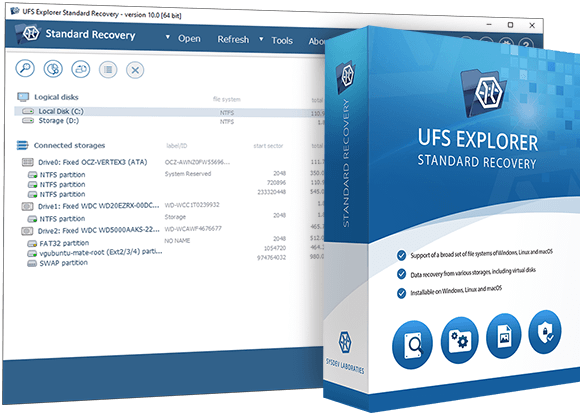
UFS Explorer Standard Recovery software interface
Available for: Windows macOS Linux

UFS Explorer Standard Recovery

Recover lost and deleted data from typical home and office storage devices
from $69.95

  • Restores deleted files and formatted or damaged volumes on standard storage
  • Supports 15+ file systems, including NTFS, APFS, Ext4, ZFS and others
  • Available for Windows, macOS and Linux with a perpetual per-platform license
  • Built-in advanced disk imaging tool for unstable drives: image first, recover safely
  • Securely unlocks BitLocker and APFS-encrypted volumes for immediate access
  • Recovers data from VMware, Hyper-V, VirtualBox and other virtual machine disks
  • Free evaluation with unlimited scanning and previewing, small files can be saved

What this software does in plain language

Recovers deleted & lost files
Restores files after deletion, formatting or file system damage from HDDs, SSDs, USB drives, SD cards and other storage media.
Safe imaging of failing drives
A copy of the problematic drive can be created using advanced configuration options. Recovery is performed from the image, without interacting with the original hardware.
Read-only non-destructive operation
The software never writes to the source storage. All operations are strictly read-only, which eliminates the risk of further data loss.
Windows, macOS & Linux
Runs on Windows, macOS and Linux. A perpetual license covers the selected platform. Buy once for permanent access, no subscription required.
Works with virtual machine disks
Opens VMware, Hyper-V, VirtualBox, QEMU and other virtual disks directly, no running VM is necessary.
Free trial – no time limit
Full scanning, preview and disk imaging are available in the trial version. A license is only needed to save files larger than 256 KB.
Overview

About the software

UFS Explorer Standard Recovery is cross-platform data recovery software designed to address logical data loss on Windows, macOS and Linux. It suits professionals providing computer repair and data recovery services, as well as home users needing to retrieve important files. The program features a clean interface focused on essential functionality, without excessive technical overhead.

The software supports a wide range of storage devices: from legacy ATA disks and removable media to modern USB sticks, NVMe flash drives and enterprise SAS drives. It also covers the majority of popular file systems used by Windows, Linux, macOS, BSD and Solaris.

Equipped with a professional-class disk imager capable of multi-pass imaging and processing defective blocks, the software handles degrading or failing drives. When some blocks are unreadable, the program maps the affected areas so you know their impact on the recovered data.

Once storage is open, the software provides instant access to the detected file system, much like an operating system would. For deleted or damaged data, quick scans, deep scans and signature-based IntelliRAW scans locate everything recoverable. Results can be filtered, searched and previewed before copying to a safe destination.

Typical recovery workflow
1
Connect storage device or open a disk image
Use a physical drive, USB stick, virtual disk or disk image file.
2
Instant file system access
Browse existing data without scanning.
3
Run a scan if data is missing
Choose a quick, deep or IntelliRAW signature scan.
4
Preview, filter and search results
Verify recovered data before saving.
5
Save to a safe location
Copy selected files to a different storage device.
Supported scenarios

What can UFS Explorer Standard Recovery handle?

The software covers common data loss situations involving single-disk storage, removable media, disk images and virtual machines.

Deleted files recovery

Restores accidentally deleted files from HDDs, SSDs, USB sticks, SD cards and external drives. Original file names and folder structure are preserved where metadata is available. If metadata is missing, deeper signature-based scanning is used.

Formatted drive recovery

Scans formatted volumes for residual file system structures and file content. A quick format rarely destroys actual data, so recovery success rates are typically high. Stop using the drive immediately to maximize chances.

RAW and inaccessible partitions

Handles storage that appears as RAW or cannot be mounted by the operating system. Attempts file system reconstruction and can detect lost partitions, restoring access to their contents where possible.

Removable media (USB drives, SD cards)

Recovers data from USB flash drives, Compact Flash, SD, SDHC and other removable media. Supports FAT, FAT32, exFAT and other common file systems used on such devices.

Virtual machine disks

Opens VMware (VMDK), Hyper-V (VHD/VHDX), VirtualBox (VDI), QEMU (QCOW2), XEN and Parallels virtual disks directly, without a running VM, and performs recovery as from physical storage.

Encrypted volumes

Seamlessly unlocks BitLocker, BitLocker To Go and Apple APFS-encrypted volumes. Provide the key or passphrase, and recovery proceeds on the decrypted content.

Physical damage and RAID: Drives with severe physical damage (clicking, not detected, no power) require hardware-level laboratory recovery – software cannot address such cases. For RAID arrays, NAS systems or complex multi-disk setups, use UFS Explorer RAID Recovery or a professional-grade edition instead.
Product functionality

Key features

Broad file system and volume support

The software provides direct access to intact file systems and enables deep recovery from damaged or formatted ones. It supports all major file systems across Windows, macOS, Linux, BSD and Solaris, and can reconstruct spanned storage created with Windows Logical Disk Manager, Apple Disk Utility and Linux LVM.

FAT / FAT32 / exFATNTFSReFS / ReFS3APFSHFS+Ext2/3/4XFSBtrfsZFSJFSReiserFSUFS / UFS2ISO 9660 / UDF
Coverage by platform
WindowsFAT, FAT32, exFAT, NTFS, ReFS/ReFS3
macOSHFS+, APFS (including encrypted)
LinuxExt2/3/4, XFS, Btrfs, JFS, ReiserFS
BSD/SolarisUFS, UFS2, big-endian UFS, ZFS
Optical mediaISO 9660/Joliet, UDF
Spanned storageLVM, LDM, Apple RAID (automatic assembly)

Configurable scanning – from quick to in-depth

When data cannot be accessed directly, three scan modes cover different situations. A quick scan uses file system metadata, delivering fast and high-quality results. A deep scan works sector-by-sector across the entire storage, recovering as much data as possible. IntelliRAW identifies files by their internal content signatures, which is useful when file system structures are no longer available.

All scans can be paused to inspect the found data, and their state can be saved for later resumption, so long scans don’t need to be started over from scratch.

Scan types
Q
Quick scan
Uses file system metadata for fast, precise results
D
Deep (full range) scan
Sector-by-sector for maximum recovery from damaged volumes
I
IntelliRAW signature scan
Identifies files by content patterns – works without file system metadata
Pause, save & resume
Save scan state and continue later from the same point

Advanced disk imager for failing drives

When a drive is degrading, every extra read increases the risk of further data loss. The built-in disk imager creates a full sector-by-sector copy using multi-pass reading and configurable bad block handling. Recovery can be performed from the image, without putting additional strain on the original device.

The disk imager maps unreadable areas, helping you identify which regions and potentially which files were affected. It is fully functional in the free trial version with no restriction as to the file size.

For unstable or slow-responding drives, always create a disk image first and use it for data recovery. This prevents repeated reads that can accelerate hardware failure.
Supported virtual disk & image formats
VMDK
VMware
VHD/VHDX
Hyper-V
QCOW2
QEMU / XEN
VDI
VirtualBox
HDD/HDS
Parallels
DMG
Apple
RAW/IMG
Generic
RDR
R-Studio

Includes seSparse and AVHD/AVHDX snapshots

Encrypted volume recovery

UFS Explorer Standard Recovery can unlock encrypted volumes. Provide the recovery key, password or passphrase, and the software decrypts data on the fly. After that, normal scan and recovery procedures can be performed on the unlocked content.

Note: Access to an encrypted volume requires valid credentials. The software does not bypass or crack encryption.

Supported encryption technologies
  • Apple APFS encryption
  • BitLocker encryption
  • BitLocker To Go encryption
Technical specifications

Technical specifications for UFS Explorer Standard Recovery

Host operating systems

Supported OS
Windows:7 SP1 and later
macOS:11 and later (separate build for 10.9–10.15)
Linux:Most modern distributions with X11 GUI, GLIBC ≥ 2.23
FreeBSD:X11 GUI required, GLIBCXX ≥ 3.4
Architectures
IA-32 (x86)AMD64 (x86-64)ARM / ARM64Apple Silicon

System requirements

Minimum
OS:Any supported OS
Storage:30 MB free space
RAM:1 GB
Recommended
OS:64-bit supported OS
Storage:>1 GB
RAM:8 GB
CPU:4 logical cores
Trial: Saving is limited to 256 KB per file

Encryption support

  • Apple APFS encryption
  • BitLocker encryption
  • BitLocker To Go encryption

Partition schemes & technologies

Full support
Automated assembly of spanned volumes: mdadm, Apple RAID, Windows LDM, LVM and others
Recognition
MBR, GPT, Apple Partition Map, BSD/Adaptec/Solaris Slice Map, Intel Matrix, Novell, Drobo, HP EVA, HP LeftHand, Symphony SAN

Supported file systems

Generic
FAT, FAT32, exFAT
Windows
NTFS, ReFS/ReFS3
macOS
HFS+, APFS
Linux
Ext2, Ext3, Ext4, XFS, Extended XFS, JFS, ReiserFS, Btrfs
BSD/Solaris
UFS, UFS2, Adaptec UFS, big-endian UFS, ZFS
Optical media
ISO 9660/Joliet, UDF

Disk images & virtual disks

VMware VMDKHyper-V VHD/VHDXQEMU/XEN QCOW2VirtualBox VDIApple DMGParallels HDD/HDSRaw/generic imagesSDLSP (internal)RDR (R-Studio)

Includes seSparse, AVHD/AVHDX snapshots

Additional features

Scanning

  • Pause/resume support
  • Preview intermediate results
  • Save and restore scan state
  • Save results for later use
  • Comprehensive sector-by-sector storage scan
  • Multiple modes for handling existing file system metadata

Data analysis

  • Hexadecimal viewer for storages, partitions and files
  • Pre-recovery data size estimation
  • Software event logging

Partition recovery

  • Lost partition search
  • Automated partition alignment
  • Manual partition definition

Interface & results

  • Preview images, PDFs and documents before saving
  • Advanced search, sorting and filtering
  • Helpful prompts and interface zoom option
In depth

Detailed product information

What can UFS Explorer Standard Recovery be used for?

UFS Explorer Standard Recovery is intended for common logical data recovery scenarios involving personal and small office storage devices. It allows you to restore accidentally deleted files, retrieve data from formatted drives, find missing partitions, recover data from damaged file systems or access volumes that won't open correctly in the operating system.

The software enables safe data extraction from internal and external drives, USB flash drives, memory cards, disk images and virtual disks. It works with major file systems used across Windows, macOS, Linux, BSD and Solaris, including FAT/FAT32/exFAT, NTFS, ReFS, APFS, HFS+, Ext2/Ext3/Ext4, XFS, Btrfs, UFS and ZFS.

As a versatile solution, the program can help you handle a variety of tasks, such as recovering deleted files from USB drives, restoring data from formatted disks and regaining access to files on RAW or inaccessible partitions.

Suitable recovery cases

UFS Explorer Standard Recovery is applicable to many typical data loss situations, including:

  • recovering deleted data from hard drives, USB flash drives, memory cards or external storage;
  • restoring files after accidental formatting of a volume;
  • accessing storage that appears as RAW or is not properly recognised by the operating system;
  • opening intact file systems when the operating system cannot mount a volume;
  • locating lost or deleted partitions;
  • working with disk images instead of unstable original storage devices;
  • retrieving files from virtual disks used by VMware, Hyper-V, VirtualBox, QEMU or XEN;
  • copying data from drives with bad sectors using advanced disk reading and imaging options.

Supported storage types and recovery scenarios

Removable media (USB, memory cards)

UFS Explorer Standard Recovery can recover data from USB flash drives, memory cards and other removable devices. The software scans the storage for deleted files, lost folders and damaged file system structures, including data remnants after formatting. Common file systems used on removable storage are supported, such as FAT, FAT32, exFAT and NTFS. For devices with unstable behavior or bad sectors, creating a disk image beforehand is recommended.

Internal and external drives (HDD, SSD, NVMe)

The program can be used for data recovery from internal hard drives, SSDs, NVMe storage and external USB drives. It provides access to existing file systems, allows scanning for deleted data and helps reconstruct damaged structures. Typical cases include accidental deletion, formatting, file system corruption or inability to access the disk through the operating system. For unstable or error-prone drives, prior imaging is strongly recommended.

Note: Severely damaged drives (unusual noises, non-detection or complete failure) may require hardware-based recovery in a specialized laboratory.

Formatted and damaged file systems

UFS Explorer Standard Recovery is capable of recovering data from formatted volumes and damaged file systems by analysing residual file system metadata and file content, depending on the file system type and the extent of changes made after formatting. The software supports file systems used in Windows, macOS and Linux, including FAT/FAT32/exFAT, NTFS, APFS, HFS+, Ext2/Ext3/Ext4, XFS and Btrfs. Recovered data should always be saved to a separate storage device to avoid overwriting.

Deleted files recovery

The software can detect and recover deleted files on supported file systems. When metadata is available, original file names and folder structure can often be restored. If metadata is missing or damaged, deeper scanning methods enable the program to identify files by their content signatures. The chances of successful recovery depend on whether the deleted data has been overwritten, so continued use of the affected storage should be avoided.

Disk images and virtual machines

UFS Explorer Standard Recovery works with disk images and virtual disks as if they were physical devices. This capability is useful for recovery from unstable drives or for accessing virtual machine storage. Supported formats include those used by VMware, Hyper-V, VirtualBox, QEMU, XEN and other platforms, along with generic and third-party disk images. Using disk images is generally preferred when working with damaged physical drives, as this reduces repeated reads and helps preserve the original storage.

For RAID-based storage systems, NAS devices and other multi-disk configurations, UFS Explorer RAID Recovery or professional-grade editions of UFS Explorer are recommended.

When UFS Explorer Standard Recovery may not be sufficient

UFS Explorer Standard Recovery is tailored for common single-disk storage, removable media, disk images, virtual disks and automatically recognised spanned volumes. For more complex scenarios, a different edition of UFS Explorer may be more suitable.

UFS Explorer RAID Recovery or a professional-grade edition should be considered in cases involving:

  • complex RAID configurations;
  • NAS systems based on RAID storage;
  • manually defined RAID parameters;
  • advanced multi-disk or non-standard storage setups;
  • severely damaged storage requiring specialized reconstruction tools.

Typical recovery workflow

A general recovery procedure with UFS Explorer Standard Recovery includes the following steps:

  • Connect the storage device or open a disk image.
  • Allow the software to detect available partitions and file systems.
  • Open the recognized file system directly if it is accessible.
  • If data is missing, run a quick or deep scan.
  • Preview, search, sort and filter the found files.
  • Copy the recovered data to another safe storage device.

This workflow applies to most logical data recovery cases, including recovery after deletion, formatting, file system corruption and partition loss.

For unstable devices or drives with bad sectors, it is recommended to create a disk image first and perform recovery using the image rather than the original storage.

Frequently asked questions

Frequently asked questions

Can UFS Explorer Standard Recovery recover deleted files?
Yes. When file system metadata is still available, the software recovers deleted files with their original names and folder structure. If metadata is missing (for example, after a deep format or heavy subsequent writing), the IntelliRAW scan can still locate files based on their internal content patterns, although folder structure and file names may not be recoverable.
Can it recover data from a formatted drive?
Yes, in most cases. A quick format typically removes only file system metadata while leaving actual data intact, so recovery success rates are often high. A full low-level format overwrites much more data, making recovery significantly more difficult or even impossible. Recovery results also depend on the file system type and the extent of overwriting. Stop using the drive immediately, as every additional write reduces the chances of successful recovery.
Can it work with RAW or inaccessible partitions?
Yes. The software scans RAW or inaccessible partitions and attempts to reconstruct file system structures. It can also detect partitions no longer visible in the partition table and restore access to their contents where possible. If the file system is too damaged for reconstruction, signature-based scanning can still identify individual files.
Does it work with SSDs and USB flash drives?
Yes. However, SSDs and flash drives use TRIM and garbage collection mechanisms that can permanently erase deleted data, often within seconds. As a result, recovery success on SSDs is less predictable than on traditional hard drives. Acting quickly and avoiding further writes improves the chances of recovery.
Is it safe to run the software on a failing drive?
The software operates in strict read-only mode and never modifies the source storage, so additional data loss cannot be caused by its actions. However, on physically unstable drives (e.g., clicking or very slow response), repeated reads may accelerate hardware deterioration. In such cases, it is recommended to first create a disk image using the built-in disk imager and perform recovery from the image instead of the original device.
Can it recover data from RAID arrays or NAS devices?
UFS Explorer Standard Recovery supports simple, automatically detected spanned volumes (such as LVM, LDM, Apple RAID). It is not intended for manually configured RAID arrays or RAID-based NAS systems. For those cases, use UFS Explorer RAID Recovery or UFS Explorer Professional Recovery.
What is the difference between the trial and the full version?
The free trial version is fully functional for scanning, browsing, previewing and evaluating results, with no time limit or scan restrictions. The only limitation concerns file saving, which is restricted to 256 KB per file. The disk imager is also fully available in the trial, with no file size restrictions.
Software releases
The current version of the product can be obtained on the download page via the button below.

We appreciate your interest in UFS Explorer. Follow us on social media for regular updates on the software.