
NAS: The principles of data organization and recovery of lost files
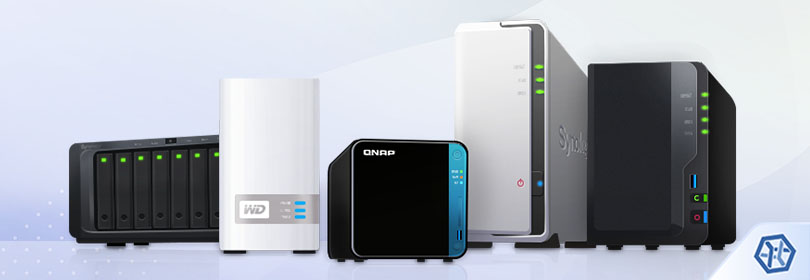
NAS (Network Attached Storage) is an intelligent storage solution widely utilized in modern home and office environments. And it comes as no surprise since these devices are easy to manage, reliable, capable of storing a considerable amount of information as well as sharing it between authorized users of the network.
Yet, like any piece of equipment, these appliances can also be mishandled or crash, causing the loss of valuable information. Fortunately, with a proper understanding of the NAS fundamentals and reliable data recovery software, the missing files can be restored even from the most complex NAS device.
NAS basics
NAS is a storage architecture that, along with storing data, is aimed at making it accessible to networked devices: computers, portable gadgets and other appliances. These units operate as small local servers that perform file-based functions, without providing other services, like mailing or authentication.
The hardware part of NAS comprises the motherboard, CPU, RAM and from one to several dozen of hard disk or solid-state drives, usually situated in dedicated bays within the box. The device is connected to a network using one or more network interface cards while access to files is provided by network file sharing protocols. The system usually lacks peripherals and is completely controlled via a network-based interface.
The software part of NAS is represented by a specialized operating system, typically stripped-down Linux or BSD, that is not designed to run general-purpose applications and comes pre-installed with the NAS hardware. Some users also setup custom NAS systems that run TrueNAS (earlier FreeNAS) or other BSD- or Linux-based operating systems.
The storage part of NAS, as has already been mentioned, is represented by HDDs or SSDs. The use of a single drive in NAS is rarely the case, so at least two drives are generally present in the box. Multiple NAS drives are often organized in a single virtual RAID-based system which makes it possible to increase the operational speed of the storage and enhance its reliability. Most NAS retailers, like Drobo, Synology, Iomega and Buffalo offer software RAID as a function of an embedded OS, while others, like Promise, may supply hardware RAID setups.
On the highest level, the pooled virtual storage is formatted with a particular file system – its type is usually determined by the NAS vendor or sometimes by the settings of the NAS unit. The most commonly applied types are Ext3, Ext4 and XFS of special Linux editions, yet, there are also units that may use Btrfs, for example, Synology NAS. Some vendors, like Adaptec, offer BSD-based solutions (e.g. SnapOS) and employ custom editions of the UFS file system. At the same time, certain manufacturers may make use of their proprietary file systems, for instance, the KDDFS file system in WD My Cloud Home and WD My Cloud Home Duo of Western Digital. Custom NAS units, like ones based on TrueNAS (FreeNAS), can also utilize various releases of the ZFS file system.
Hint: To learn more about file systems and their types, please, refer to the basics of file systems.
Data organization
Most NAS devices have a common storage structure and data organization. The actual data layout, however, depends on the vendor and embedded configuration.
Typical storage structure
Data of each disk constituting the system is arranged on the following partitions:
- A boot partition keeps the service information required to start the embedded NAS operating system and usually takes up to one gigabyte;
- A firmware partition also contains technical data related to the firmware, such as executables, configurations, etc. Such a partition generally occupies up to a few gigabytes.
- A swap partition is used by the firmware to extend RAM and is typically not larger than 1 gigabyte.
- One or several data partitions occupy the rest of disk space and serve for storing user files. The actual size and the number of partitions depend on the NAS configuration.
The disk partitioning scheme is usually the standard MBR (DOS-style) readable by any software.
RAID configuration and data organization
Depending on the NAS retailer, model and device configuration, the information on Data partitions can be organized in one of the following ways:
- RAID 5. Thisis the most widely-used RAID On RAID level 5 the user data is located as stripes distributed across the data partitions of all disks (at least three drives) together with parity – the information that can be used to restore the content in the event that one of the drives fails. The standard parity distribution is backward-dynamic (left-symmetric). The stripe size depends on the settings (64 KB is encountered most frequently). The order of disks in RAID 5 may be consequent (the 1st NAS disk is the 1st disk in RAID, the 2nd NAS disk is the 2nd disk in RAID, etc.) or reverse (the last NAS disk is the 1st disk in RAID, the last but one NAS disk is the 2nd disk in RAID and so on).
- RAID 1. This configuration is sometimes used on 2-disk NAS models to ensure maximum fault-tolerance. In this setup, the content of one drive is mirrored onto the other one, so both disks are always exact copies of each other. If one of the drives fails, the data still remains available on the second drive. The order of disks in RAID 1 is not relevant.
- RAID 0. This configuration is the least reliable one due to the lack of any redundancy, yet, may be employed on some NAS units due to its high performance and maximum usage of storage space. The user data is arranged as a single set of stripes spread evenly across the data partitions of all drives without parity or mirroring. The order of disks in RAID 0 is consequent: the 1st NAS disk is the 1st disk in RAID, the 2nd NAS disk is the 2nd disk in RAID,
- RAID 6. This RAID level is very similar to RAID 5, however, two types of parity information instead of one are stored to provide dual redundancy. Both sets of parity are striped separately across four or more disks and enable the array to tolerate up to two concurrent disk failures.
- Specific RAID-based technology. Some vendors offer their own RAID implementations that employ proprietary techniques and often have features of an LVM:
- Synology Hybrid RAID (SHR) supported by Synology NAS is built on two or more drives that can be of different capacities. An allocation unit is created on each disk based on the size of the smallest drive and these units are then organized into one of the standard RAID levels (levels 1, 5 or 6, depending on the number of drives and the chosen level of redundancy). The remaining “tails” on the disks whose sizes exceed the size of the smallest drive are then arranged into another RAID, which is then spanned with the first RAID using Linux LVM, creating a single virtual storage.
- Drobo BeyondRAID supported by Drobo units requires two or more drives that also can be of diverse capacities. However, this technology is very complex even in terms of RAID. The system is assembled from numerous RAID sets with a size of 64 KB. The offset for components in each RAID set is dynamically determined by the system as well as the level of the RAID and the size of the stripe. On top of that, to enable thin provisioning, all the space is divided into blocks of 4 KB that are scattered across the disks. The scheme of blocks allocation is reflected in a special map, the loss of which makes it impossible to recreate the storage.
- RAID-Z supported by custom NAS solutions running TrueNAS (FreeNAS) is established on a storage pool with the ZFS file system comprising at least three disks. The employed algorithms of data distribution are very similar to the standard RAID 5, however, the size of the stripes is not fixed and is chosen by the system on the basis of the ongoing needs. The information about the width of each stripe is written to the metadata, the damage to which is likely to prevent the reconstruction of the storage.
Other possible configurations:
- RAID 10 or RAID 0+1. The mirror of two RAID 0 stripe sets or a stripe set of two mirrors. The user data is arranged the same way as in RAID 0, but only one "share" and both stripe sets contain the same information.
- JBOD. Data partitions are concatenated to yield maximum storage capacity. The user data is spanned across all data partitions without any redundancy.
Hint: All the basic RAID concepts are explained in the peculiarities of data organization on RAID. To learn more about particular NAS technologies, like Drobo BeyondRAID and Synology Hybrid RAID, please refer to the corresponding article.
- Individual drives. On NAS drives that are not organized in RAID each data partition is based on an independent file system.
- Encryption. Some NAS manufacturers, like Synology, QNAP, Buffalo, Western Digital and others, offer built-in volume encryption possibilities to protect the data from unauthorized access using one the existing encryption technologies – mostly Linux LUKS. Data of an encrypted NAS unit can only be accessed as long as the user has the correct password (encryption key) and the critical areas on the storage containing the encryption information are intact.
When is recovery required?
In view of their evident advantages, NAS boxes have become an essential part of everyday work for home users and businesses. But despite the enhanced reliability of these storages, they are still exposed to failures resulting in data inaccessibility or even storage corruption and the loss of important files. The most common causes of data loss include:
- The loss of a NAS link;
- An offline array or 'four red lights';
- Data corruption due to a power outage;
- Firmware crash or failed boot;
- Disk(s) failure;
- Controller failure;
- Electrical or mechanical damage.
User errors causing data loss include:
- Faulty firmware update and reset of the embedded RAID settings;
- Deletion of files;
- Rebuild of the embedded RAID configuration on live data and re-formatting of
Preparation for data recovery
If the disks have any physical defects caused by mechanic, thermal or electric damage, it's strongly recommended to shut down the NAS system and have it examined in a specialized data recovery laboratory. However, if you are sure that NAS disks didn't sustain any physical damage and remain operable, you can perform DIY data recovery using the recommendations given below.
- As NAS units don't provide direct low-level access to their drives and their operating systems are not intended for running data recovery utilities, the process of data recovery requires disassembling the box and connecting its disks to a computer.
- When you remove the drives, it's recommended to mark their order with paper stickers or a soft ink marker in order to re-assemble the storage properly.
- Special attention should be paid to the choice of the operating system employed on the computer which serves as the host for data recovery. Please rely on the recommendations to choose an optimal OS for NAS Recovery.
- Files lost from NAS can be easily brought back with the help of effective data recovery software capable of emulating the work of a RAID controller, reconstructing such storage systems and providing access to the file systems located on them. For this purpose, SysDev Laboratories offers the UFS Explorer products: UFS Explorer RAID Recoverywas specially developed for handling RAID sets of various levels while UFS Explorer Professional Recovery presents a professional approach to the process of data recovery. The software supports a broad spectrum of software and hardware RAID, from standard levels (RAID 0, RAID 1, RAID 1E, RAID 3, RAID 4, RAID 5, RAID 6) and nested layouts (RAID 0+1, RAID 10, RAID 50, RAID 51, etc.) to specific RAID schemes (Drobo BeyondRAID, Synology Hybrid RAID, ZFS RAID-Z, Btrfs-RAID). Moreover, the programs work with the whole range of file systems employed in modern NAS appliances, including Ext2, Ext3, Ext4, XFS, UFS, ZFS, Btrfs and even the proprietary KDDFS format, along with various modern encryption technologies.
Hint: For detailed information concerning the supported technologies, please, refer to the technical specifications of the respective software product.
The software reads out the RAID metadata present on the component disks and uses it to recreate the array in a virtual mode. Yet, in case of severe damage to the metadata, the following details may be required to reassemble the storage:
- RAID level;
- The order of member disks in RAID (except for RAID 1);
- Stripe size (except for RAID 1);
- Parity distribution and other parameters (if applicable).
The overall procedure is explained step-by-step in the general tutorial devoted to NAS recovery. Also, the following resources should be consulted for NAS systems implementing specific storage technologies, as their processing may require additional instructions:
- Drobo NAS based on BeyondRAID;
- NAS with simple ZFS and NAS with RAID-Z;
- NAS encrypted with Linux LUKS;
- NAS using Thin Provisioning.
Last update: August 12, 2022