

How can I recover data from a portable storage device?
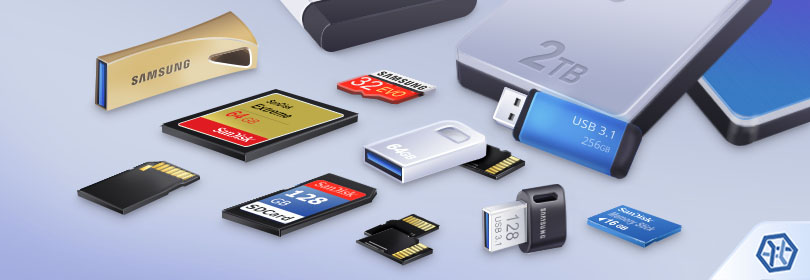
Modern computer technologies provide us with a great many options for storing our data. But still and all, portable storage devices remain prevailing for both business and personal use. They come in various forms, like USB sticks, memory cards and external hard drives, and enable flexible data transfer between computers. In addition, they allow for considerable expansion of the storage space of a PC, laptop, smartphone, digital camera, MP3 player, game console, video recorder or any other gadget. However, despite their numerous benefits and constantly improving reliability, removable digital media are still exposed to the loss of valuable information. It may be caused not only by accidental deletion or formatting, but also by improper ejection, power cuts or software bugs. Fortunately, as long as the data stored on the device is not overwritten, a proper data recovery utility is able to bring the missing files back.
Recover data from an external hard drive, USB flash drive, memory card formatted in FAT (exFAT) or any other file system of Windows, macOS, Linux, Unix, BSD
External drives differ from internal ones in that they do not have a Recycle Bin or Trash. Yet, data from them is removed in an analogous manner in accordance with the rules defined by the file system applied on the storage. Thus, it usually remains on the drive until other information is written to replace it.
Note: It is strongly recommended to stop using the device as soon as a data loss problem is detected. Further operations with the storage may destroy the lost files.
As a rule, such devices use the FAT file system (or its newer version – exFAT). The main reason is its compatibility with computers running any existing OS. Also, it can be read by more simple appliances which may even lack an operating system as such. This file system provides adequate chances for data recovery.
Hint: To learn more about FAT and other file system types, please, refer to the basics of file systems.
Yet, in several cases, the chances to recover data may be next to nil due to the following factors:
- files gone after low-level (full) format cannot be restored. This operation completely wipes the drive leaving it empty, instead of destroying file system structures only;
- some portable SSDs support the TRIM command. It erases the content of files after their deletion, making them permanently destroyed;
- file shredding software makes it impossible to undelete files. That’s because it zeroes them out or overwrites them with some "garbage data";
- some encryption software, like BitLocker To Go, allows encrypting portable drives to prevent unauthorized access. Data recovery from such storages is possible only as long the decryption key is available;
- Some portable devices, like mobile phones, smart watches, MP3 players, etc. store their data in the internal memory rather than removable memory cards. When such a storage is connected to the computer, only a virtual representation of its file system can be opened via Media Transfer Protocol. Meanwhile, the real file system is blocked for access by the manufacturer for security purposes. Low-level access to such a storage may be possible in some cases with Superuser permissions (for example, on Android phones), but rooting a device is not recommended – it may lead to a series of undesired consequences.
In the remaining cases, SysDev Laboratories recommends UFS Explorer and Recovery Explorer as effective software solutions for users who need to restore files lost from external drives formatted with FAT/exFAT or other file systems utilized in any operating system environment: Windows, macOS, Linux or Unix/BSD. The software will thoroughly analyze the storage and offer you to copy the found files, while the data source and its structure won't be affected in any way.
To regain the files missing from a removable drive with the help of UFS Explorer Standard Recovery, perform the following steps:
-
Download and install the program onto the computer. Verify that the downloaded version of the software corresponds to the operating system platform you are using.
Hint: If you have any difficulties with the installation of the utility, please refer to the installation manual for UFS Explorer Standard Recovery.
-
Start the application and alter its parameters in the settings tab, if it is needed.
-
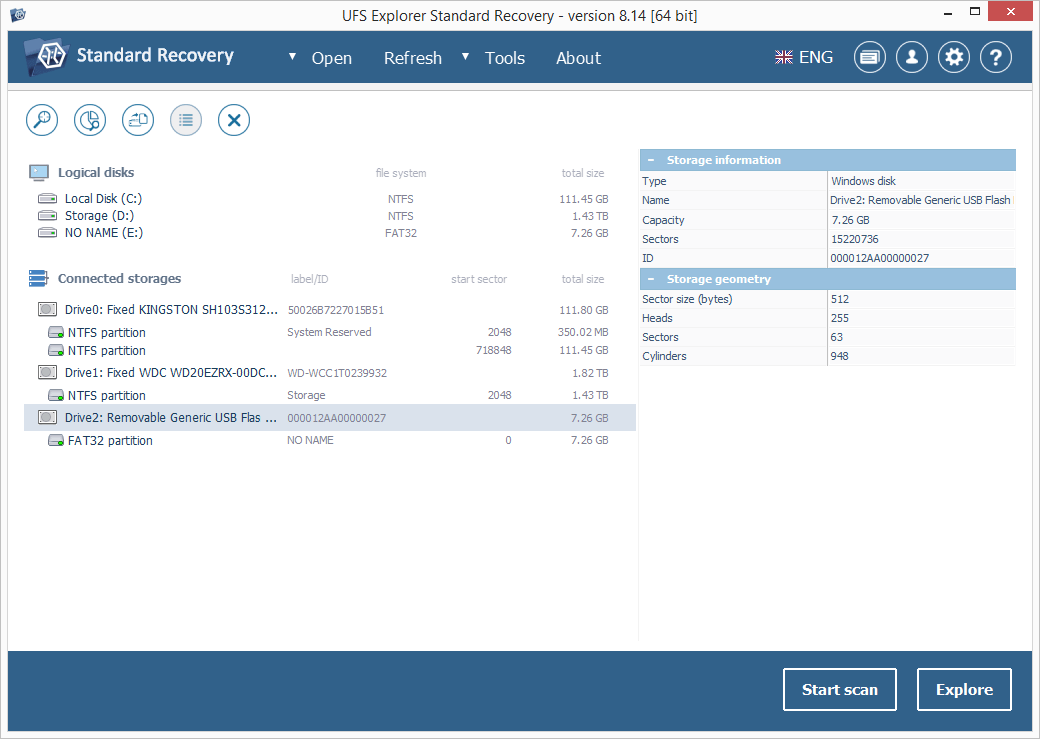
Attach your device directly to the host computer. A USB flash drive should be plugged into the USB port of the computer; an SD card should be inserted into the computer’s card reader or an external USB adapter; a microSD card can be placed into an SD card adapter; for a portable hard drive use any valid type of connection (USB, FireWire, eSATA). If your drive has a power switch, don’t forget to turn it on.
-
Find this drive in the list of connected storages in the left pane and scan it for lost data using the corresponding button or the storage context menu option.
-
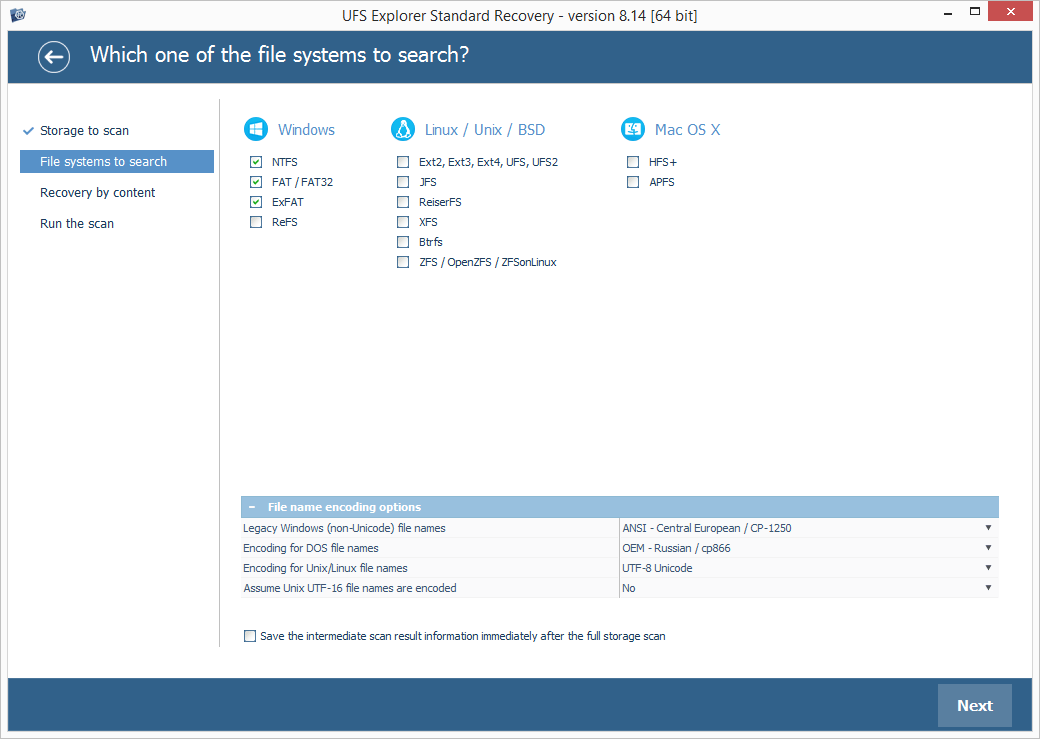
Define the desired scan parameters. You may deselect all file systems except the one applied on your storage, but if you’re not totally sure concerning its type, leave them all selected. After that, press "Start scan" and wait for the results.
Hint: More information about configuring the scan can be found in the instruction on scanning a drive with UFS Explorer.
-
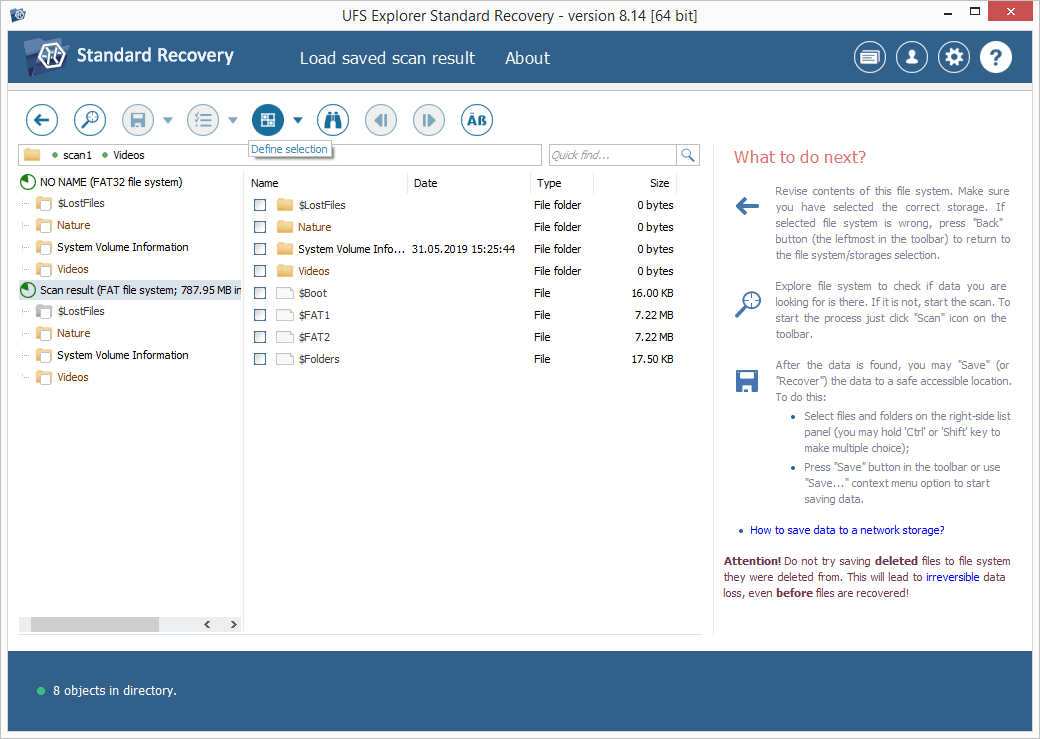
Explore the files and folders found by the software. If the "Set up displaying of file status" tool is activated, all files will be listed with circular icons that indicate their state: the green color represents a "good" state of a file with a valid header; the red color refers to a "bad" (zeroed) file; the gray color may be used when a file has been partially corrupted or its integrity check has failed because of the format’s specifics. The deleted folders and files can be distinguished from the available data by the red color of their names. You may also sort the items by name, date, size, employ quick or advanced search and preview the content of files in the internal viewer. Press "Define selection" and pick out the ones you want to copy.
Hint: The information provided in Evaluation and saving the results of data recovery may facilitate your work with the obtained folders and files.
-
Save these files to a disk other than the storage from which they are being recovered.
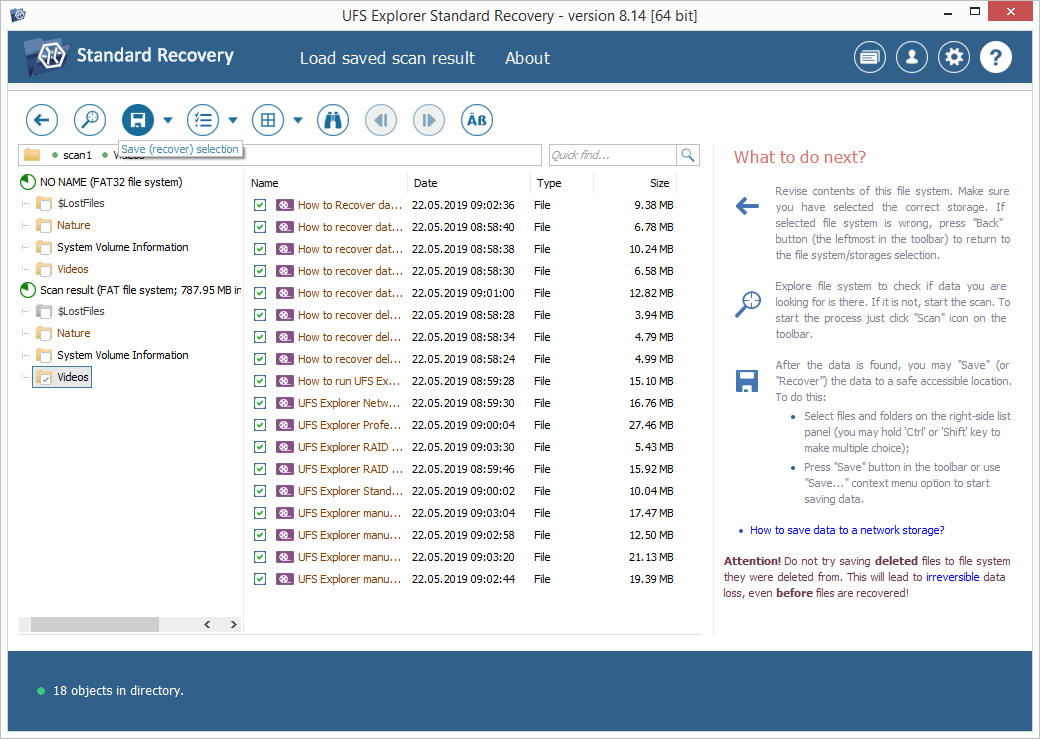
Hint: If you are going to save the recovered data to a network storage, please check the provided guide.
For more detailed instructions, please, refer to the article dedicated specifically to data recovery from your portable device:
Last update: August 09, 2022