
How can I regain lost access to files?
No doubt, digital data is an indispensable part of people's computing life: whether you're part of a company or an individual, it's crucial that your important documents and other files could be opened whenever they are needed and from the platform or environment you are most comfortable working in. However, the abundance of choice offered by the modern IT market may lead to the situation when on-demand data access becomes impossible due to incompatibility issues, such as conflicts of different operating systems or computer's inability to recognize a connected storage.
Fortunately, the inaccessibility of files doesn’t make them corrupted or lost: reliable data access software may work as a guide to an unreachable storage, allowing the user to find the needed files and copy them to another location, without making any destructive changes to the source.
Among the UFS Explorer and Recovery Explorer software, which serves for both accessing all kinds of devices and recovering data lost or deleted from them, SysDev Laboratories offers UFS Explorer Standard Access, a program developed specifically for regaining access to non-damaged yet inaccessible storage media and copying their contents to another location.
All the above-mentioned programs support most common file systems, enabling you to copy data from a disk partition of a supplementary operating system, for example, Linux or macOS installed on the PC in addition to Windows, or retrieve files from a portable storage previously formatted in another non-compatible environment. Moreover, the utilities are able to work with virtually stored files as if they were located on an ordinary physical device – there is no need to set up or run a virtual machine.
The applications allow copying inaccessible files of any type, including:
- photos,
- videos,
- documents,
- emails,
- and many others,
as well as from each of the common operating systems:
- Windows,
- macOS,
- Linux,
- Unix, Solaris, BSD.
Note: UFS Explorer Standard Access only facilitates access to undamaged data and intact file systems. Therefore, if the files were deleted or lost, please, choose a data recovery tool which is applicable to your data loss case.
How to retrieve files from an inaccessible storage with UFS Explorer Standard Access
In order to access and copy files stored on a drive with an incompatible file system using UFS Explorer Standard Access, please follow these instructions:
-
Download and install UFS Explorer Standard Access on a computer running the Windows operating system.
-
If the blocked data is located on an external storage device, attach it to the host PC using any valid type of direct connection.
In case you need to retrieve files from a disk image or virtual disk, open it in the software using the "Open storage" tool from the main menu.
And when you need to work with an internal disk removed from another computer, it is recommended to attach it as a secondary storage via a SATA port found on the motherboard. Alternatively, you may also connect it using a USB to SATA adapter or a disk enclosure.
Note: Please refer to the guides on how to plug the drive into the motherboard of the computer or connect it externally using a USB to SATA adapter for step-by-step instructions.
-
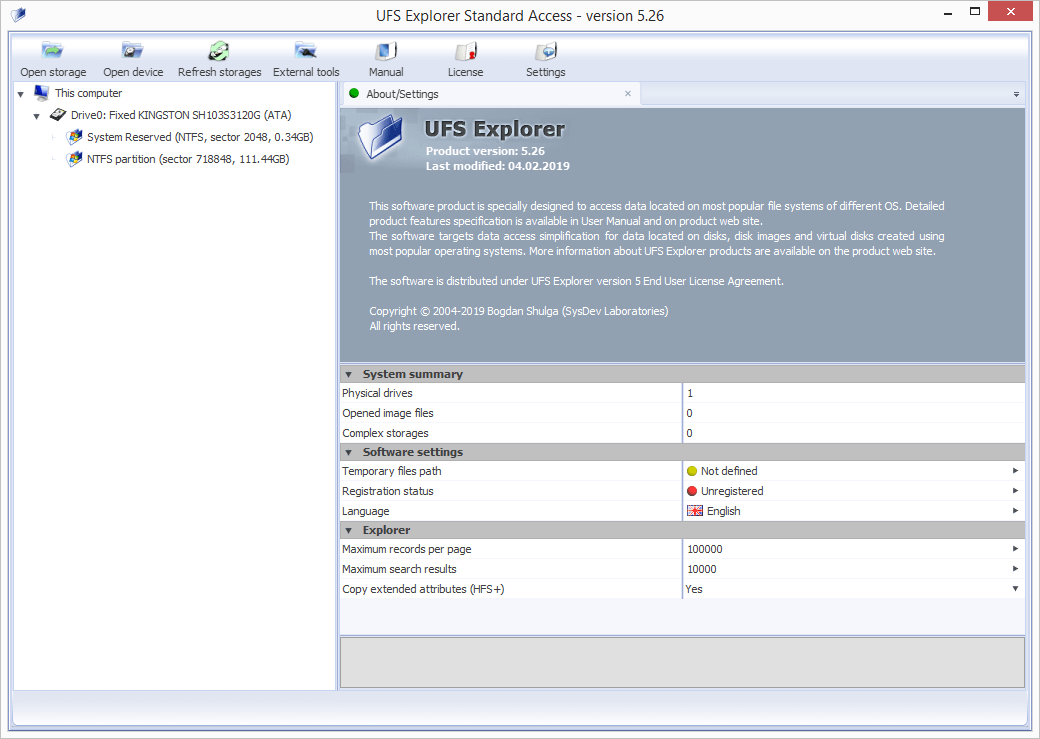
Start the program and, if needed, adjust its settings in the settings tab.
-
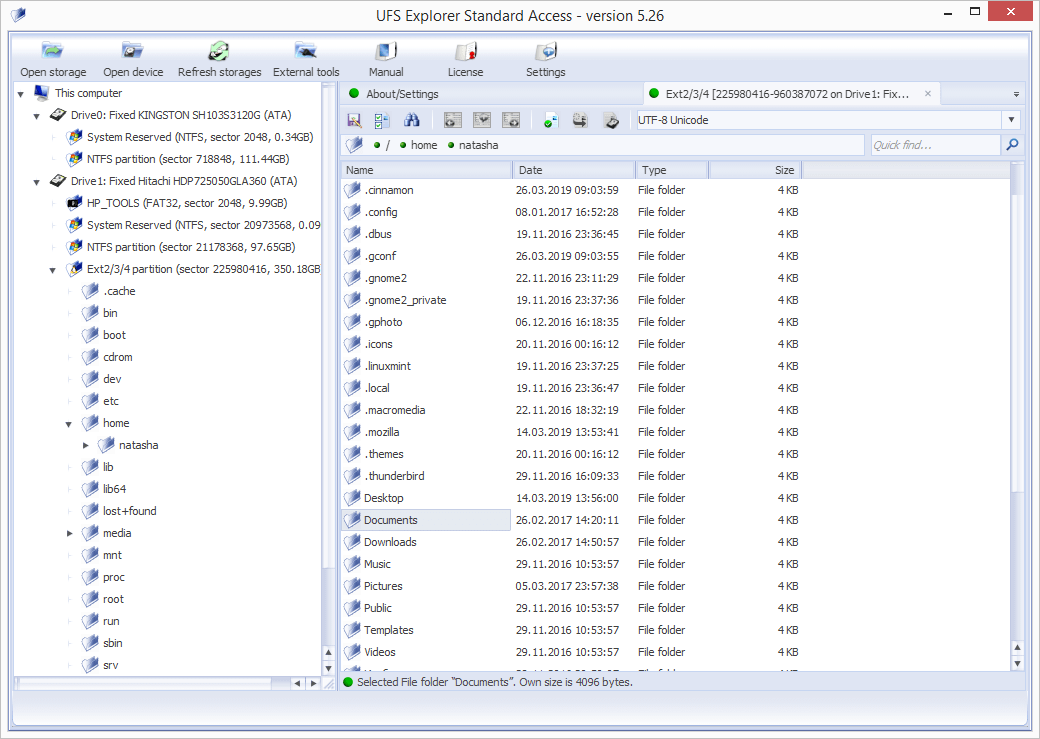
Select the problem device or a logical volume under "This computer" item found in the left pane of the program interface and browse through its files to find the needed ones. They can be sorted by name, date, type or previewed in the internal viewer. The quick and advanced "Find in this folder" search options are available as well.
-
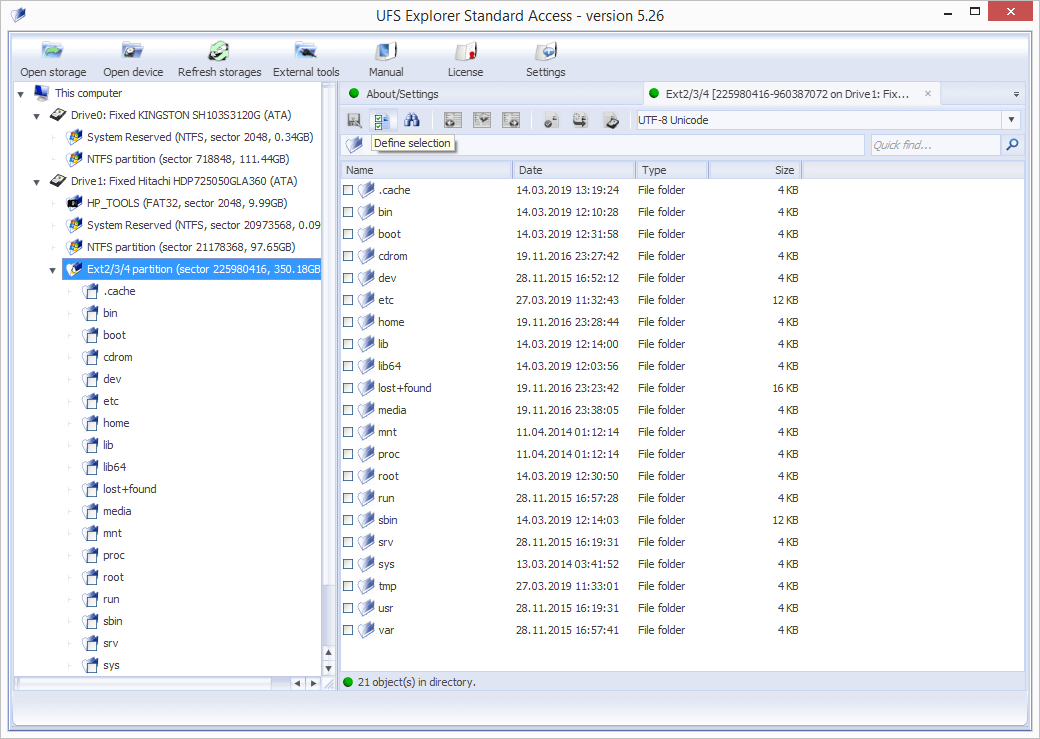
Activate the "Define selection" tool and put checkmarks next to the files to be saved.
-
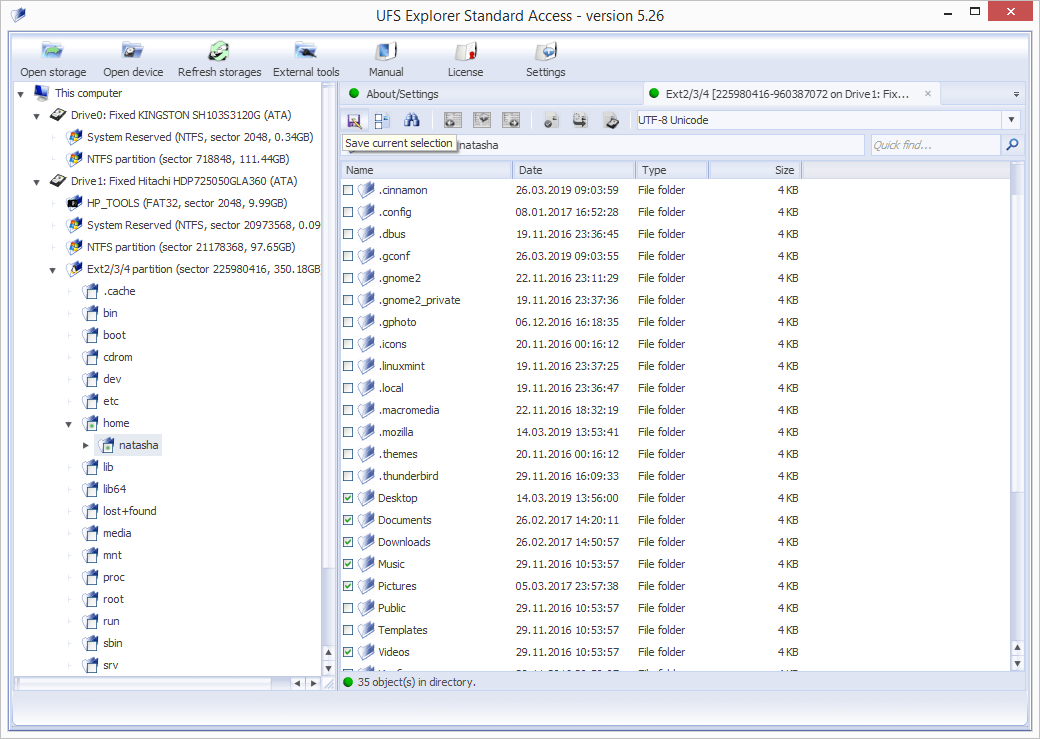
Click "Save current selection" to copy the selected files to the desired location.
To learn more about the peculiarities of data access on various storages, please, refer to the corresponding article:
Last update: June 26, 2024