
Raise Data Recovery for HFS+
Special tool for HFS+ recovery
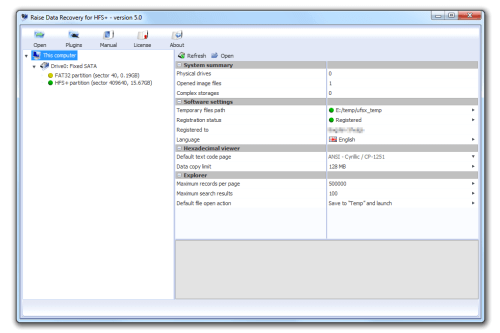
Recovering lost or deleted files from all types of HFS+-formatted storages created with any modern version of Apple macOS.
Fast data consistency test
Files and folders contents identification, fragmentation details etc. through context dependent storage navigation.
Recovery from replaced file systems
Accurate detection of current and previous file systems after formatting and targeting recovery process at a certain file system state.
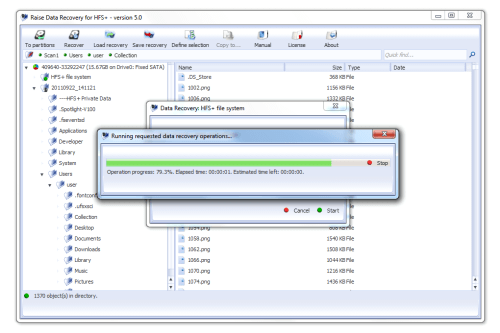
Advanced all-at-once recovery
Selection of necessary files and building file system tree similar to the original one on the target storage.
Functional extensions
Extensive software operations with a set of optional external modules (plug-ins).
Raise Data Recovery of Version 5 is out-of-date. You may consider switching to:
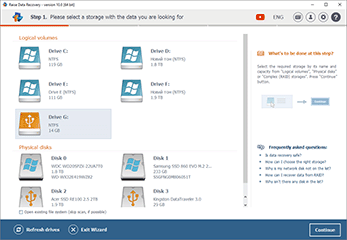
- Simple and intuitive Wizard-style interface;
- Unlimited recovery from the file systems of Windows (FAT/FAT32, exFAT, NTFS, ReFS), macOS (HFS+, APFS) and Linux (Ext2-Ext4, ReiserFS, UFS, JFS, XFS);
- Work with common internal and external storage devices;
- Lifetime license with cross-platform activation;
- Two variants of the software updates period for 30 and 360 days.
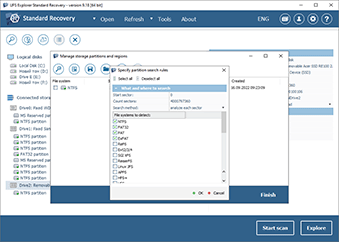
- Convenient interface with a broad set of professional tools;
- Full support of various file systems of Windows (NTFS, FAT, FAT32, exFAT, ReFS/ReFS3), macOS (HFS+, APFS) and Linux (Ext2-Ext4, XFS, Extended format XFS, JFS, ReiserFS, UFS/UFS2, Adaptec UFS, big-endian UFS, Sun ZFS, Btrfs);
- Direct access to the available content of all kind of digital media;
- Support of disk images and VMware, Hyper-V, VirtualBox, QEMU, XEN virtual disks;
- Automatic recognition and assembly of spanned volumes;
- Advanced possibilities for disk reading and creating disk images.
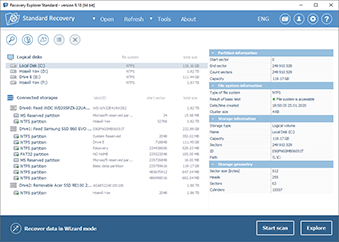
- Two-mode interface for common users and beginners;
- Single product for multiple file systems of Windows (FAT/FAT32, exFAT, NTFS, ReFS/ReFS3), macOS (HFS+, APFS), Linux (Ext2-Ext4, UFS/UFS2, Adaptec UFS, big-endian UFS, XFS, ReiserFS, JFS, Btrfs);
- Direct access to the available content of various data storages;
- Support of both physical and virtual storages (disk images and virtual disks);
- Wide selection of useful additional functions.
Overview of Raise Data Recovery Version 5
Raise Data Recovery up to version 5 was a group of software applications each specially created for a certain file system type.
Please mind that this software range is no longer supported.
Raise Data Recovery for HFS+ can only access and recover data from modern Apple HFS+ file system. In other words, it helped to recover data from PCs, USB flash drives, memory cards of photo/video cameras, external hard drives, disk images and virtual machines formatted with the above mentioned file systems.
However, for informational purposes it recognized other file systems, like NTFS and FAT of Windows, Ext2, Ext3, Ext4 , ReiserFS, XFS, JFS (JFS2) of Linux and UFS/UFS2 of FreeBSD.
With an optional module RAID Access Plugin and RAID Builder it supported virtual reconstruction of RAID systems after failure of controller or RAID metadata.
Additionally, Raise Data Recovery for HFS+ allowed opening disk images and virtual disks produced by virtual machines of leading virtualization software retailers (including VMware Player, VMware Workstation, Microsoft Virtual PC, Microsoft Hyper-V, Parallels Desktop etc.).
Specifications
Supported host operating systems:
- Microsoft Windows: Windows NT version 5.1 (Windows XP/2003) and above;
Supported host computer architectures:
- Intel Architecture, 32-bit (IA-32, x86) - all operating systems;
- AMD64 (x86-64) - all operating systems.
Supported file systems for recovery:
- NTFS: recognition only;
- FAT/FAT32: recognition only;
- SGI XFS: recognition only;
- Apple HFS+: full support (access and advanced recovery*);
- JFS (IBM JFS2): recognition only;
- Ext2-Ext4: recognition only;
- ReiserFS: recognition only;
- UFS/UFS2: recognition only;
- Custom Adaptec UFS: recognition only;
- Sun ZFS: recognition only;
- Novel NWFS: recognition only;
- HFS: recognition only.
* - due to the file system specifics, the result of recovery of deleted data could be not as high as expected
** - deleted files may be unrecoverable due to the file system specification
Trial limitations:
- The software copies files with the size under 256 KB.
System requirements
System configuration:
- any supported operating systems;
- at least 20MB of free disk space for software executable files;
- at least 1GB RAM.