

What can be done to restore deleted files from Linux?
The habit of deleting unwanted files through the Command Line becomes the cause of data loss for many Linux users, as having used this method, one is not able to go to the Trash folder and quickly restore inadvertently removed items to their original location. However, even those who prefer the UI or the Del key may also be faced with the need to recover mistakenly deleted files after the Trash can in which they are kept for a while as a safety measure, was emptied. Fortunately, in both cases, regardless of what is indicated by the directory listing, the file is not immediately gone and its data may be still located on the disk as long as that area is not overwritten by new information, leaving the possibilities for data recovery. Still, the actions taken after the deletion operation together with some other factors may influence the likelihood of its success.
Restore deleted files from the file systems of Linux
The internal mechanisms used to delete a file are determined by the underlying file system employed on a storage device. Although the list of file systems supported by the kernel is very long, the ones commonly applied on popular Linux distributions, like Ubuntu, Mint, Fedora, elementary OS, OpenSUSE, etc. include Ext2/Ext3/Ext4, XFS, JFS, ReiserFS, UFS and Btrfs while FAT32/exFAT is utilized on most removable devices. Each of them has certain specifics which impacts the quality of the recovery results: for instance, files deleted from XFS and Btrfs have very high chances to be retrieved, while files from Ext2/Ext3/Ext4 are poorly recovered due to high fragmentation.
Hint: To learn more about the file systems of Linux, please, refer to the basics of file systems. If you want to assess the possibility of a successful data recovery operation, familiarize yourself with the article describing the specifics of data recovery depending on the OS and chances for data recovery.
SysDev Laboratories recommends UFS Explorer Standard Recovery as an effective software solution capable of working with all of the most popular Linux file systems and restoring files present on both simple and spanned volumes, including mdadm and LVM, before the deletion was performed.
Note: Recovery of deleted files is possible as long as they are not overwritten with some other information. For this reason, it is highly recommended to stop all operations with the storage from which the data has been deleted and immediately start recovering files.
Note: If the files were deleted from a solid state drive (SSD) with enabled TRIM, their contents are very likely to have been wiped by the command invoked right after deletion. Successful recovery of such files is usually beyond the bounds of possibility.
-
In order to reduce the risk of deleted files being overwritten by some user/process, take down the system to a single-user mode and unmount the file system of the problem directory by running the “unmount” command with the name of the disk or the mount point. If the deleted files were located in the "/root" directory, which is always mounted, is strongly recommended to remove the disk and connect it to another computer as a secondary device.
Hint: You can plug the disk into the motherboard of the computer or сonnect the drive externally using a USB to SATA/IDE adapter as described in the instructions.
-
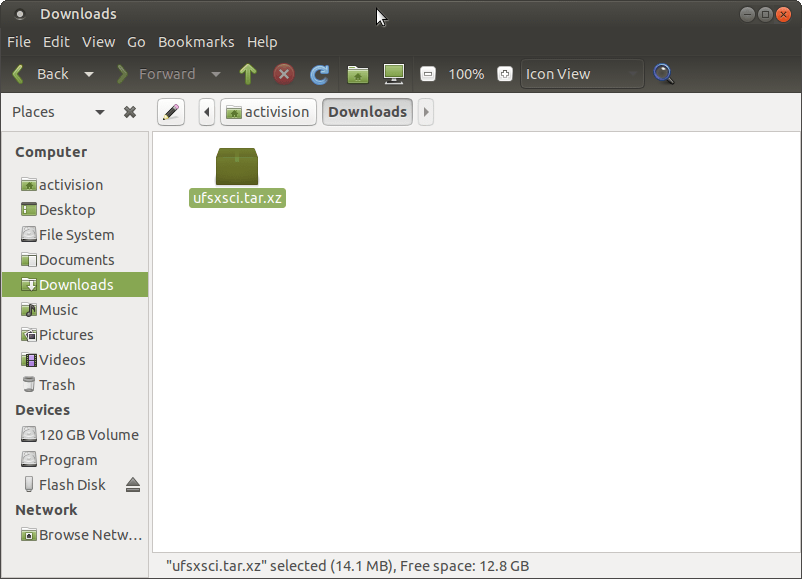
Download the compressed Universal Installer of UFS Explorer Standard Recovery choosing the “Download for Linux” option, extract the content of the downloaded archive and launch the installation manager after entering your user password. Don’t use the storage which contains the deleted data to avoid its overwriting.
Hint: If you have any difficulties with the installation of the utility, please refer to the installation manual for UFS Explorer Standard Recovery.
-
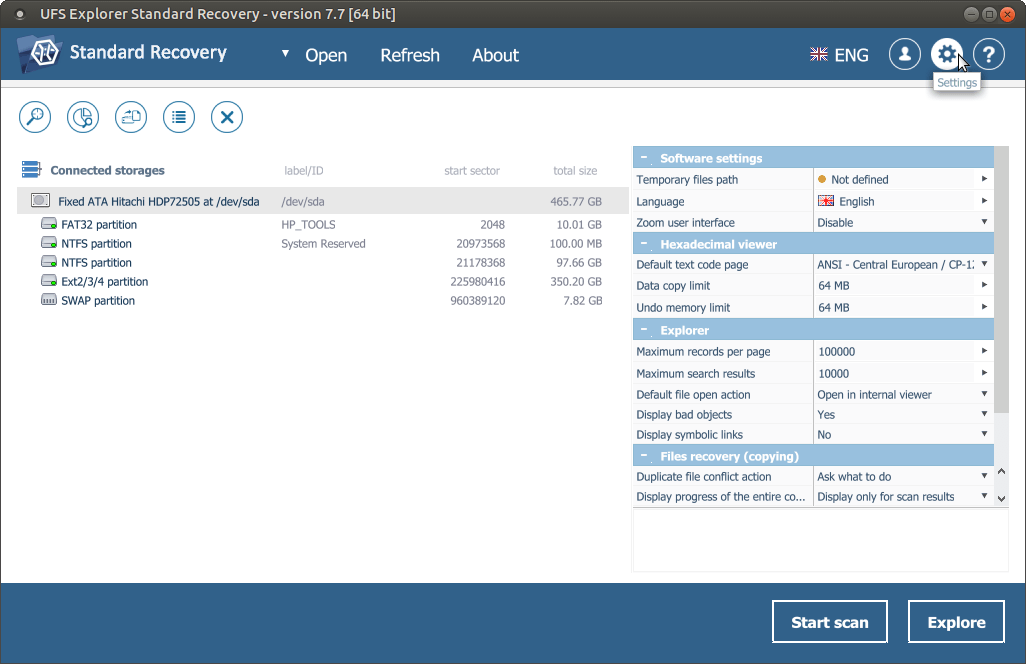
Run the program and, if needed, modify the software settings from the settings pane.
-
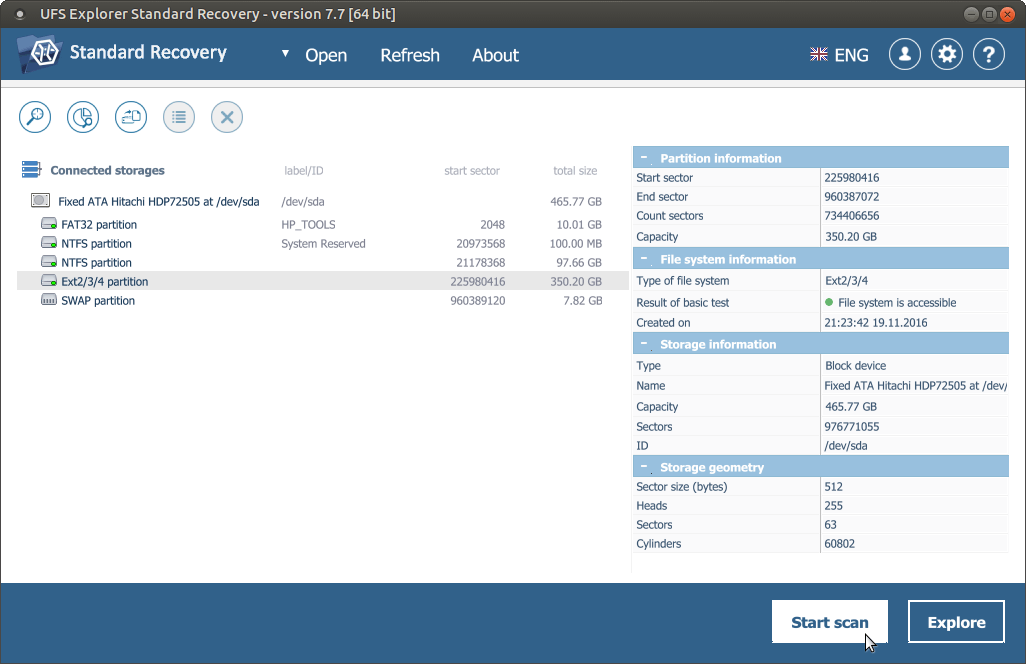
UFS Explorer Standard Recovery automatically recognizes available partitions and displays them in the list of attached storages in the left pane. Choose the needed partition based on its size, file system type or content and scan it for lost data using the corresponding storage context menu option, the “Start scan” button or the “Scan this storage” tool from the toolbar.
-
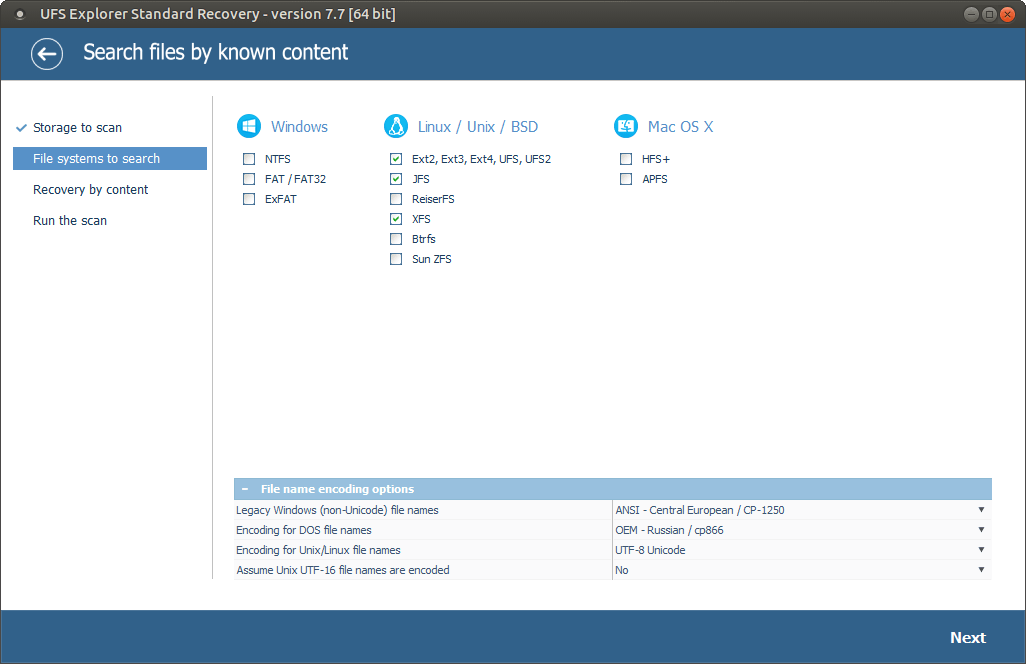
Set up the preferred scan parameters. If you want the process to be accomplished faster, you may deselect all file systems except the one applied on your partition and disable InelliRAW. After that, click “Start scan” and wait until the process is completed.
-
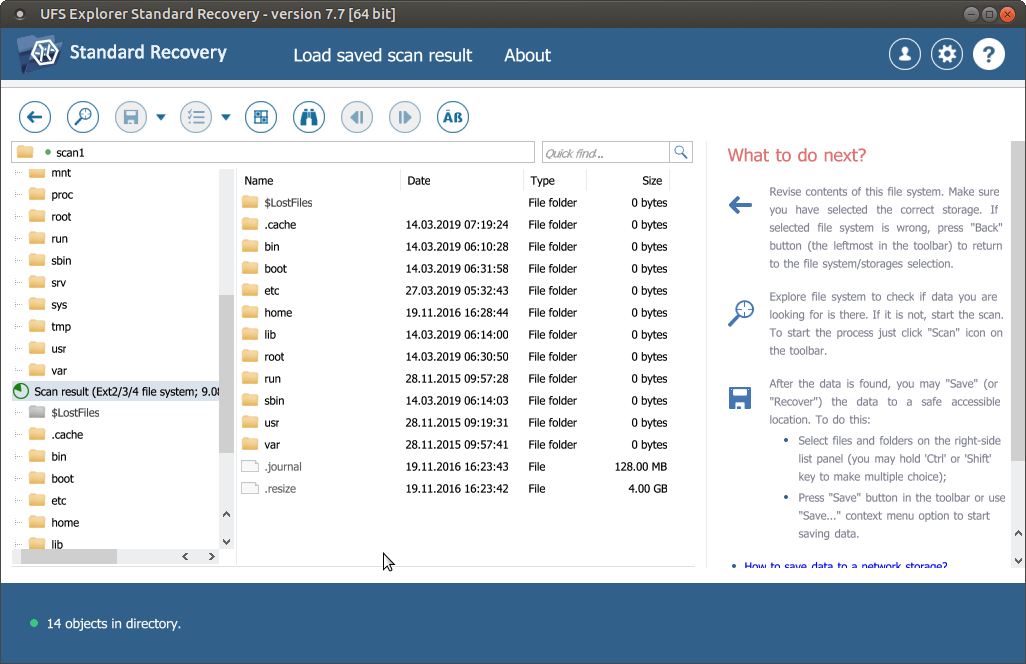
Check the found files and folders. They can be sorted by name, date, type or previewed in the internal viewer. Quick and advanced search options can also be used if you need to find specific files.
-
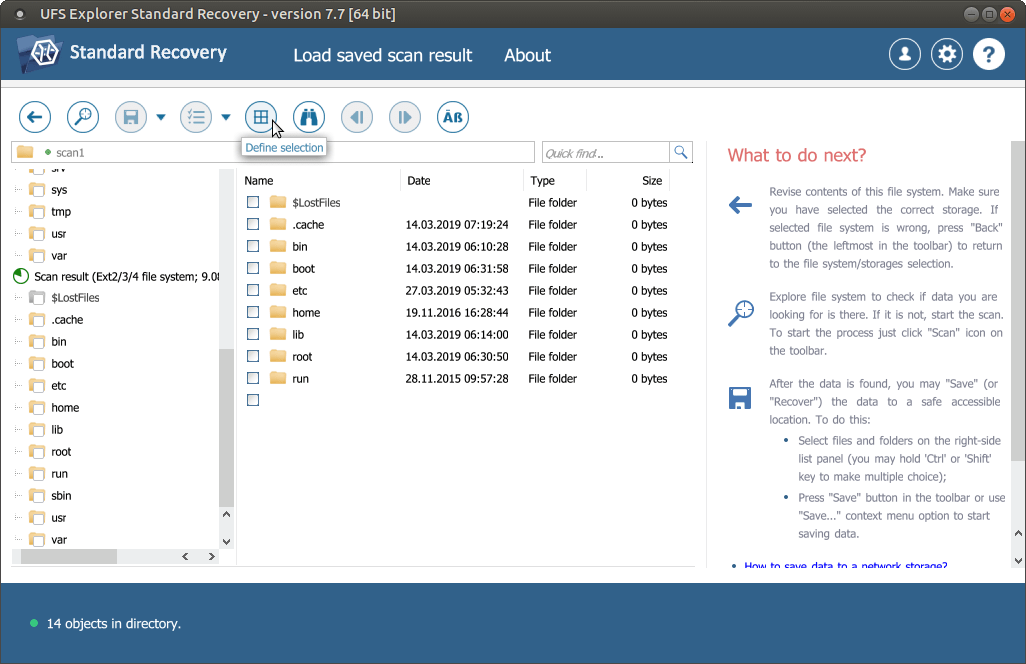
Press the “Define selection” button, select the files and folders to be recovered and press “Save (recover) selection”. Choose some additional storage to copy the files to avoid data overwriting.
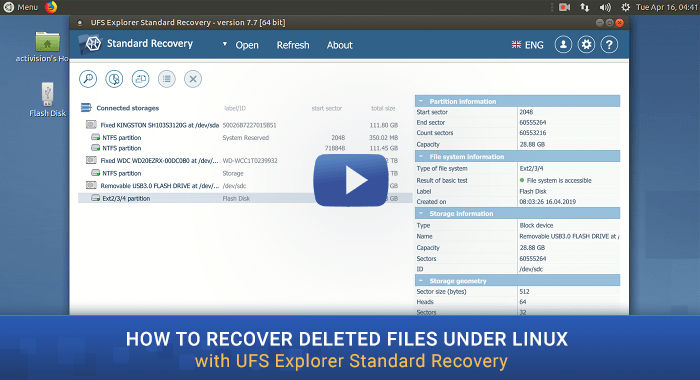
Watch this short video to see the overall procedure for yourself:
Note: If the data was lost from the "/root" directory and there is no possibility to extract the drive and attach it to another computer, you can boot the machine using UFS Explorer Backup and Emergency Recovery CD for safe data recovery. For more details, please, refer to Data recovery from a system partition.
Last update: August 09, 2022